Voloridge Health
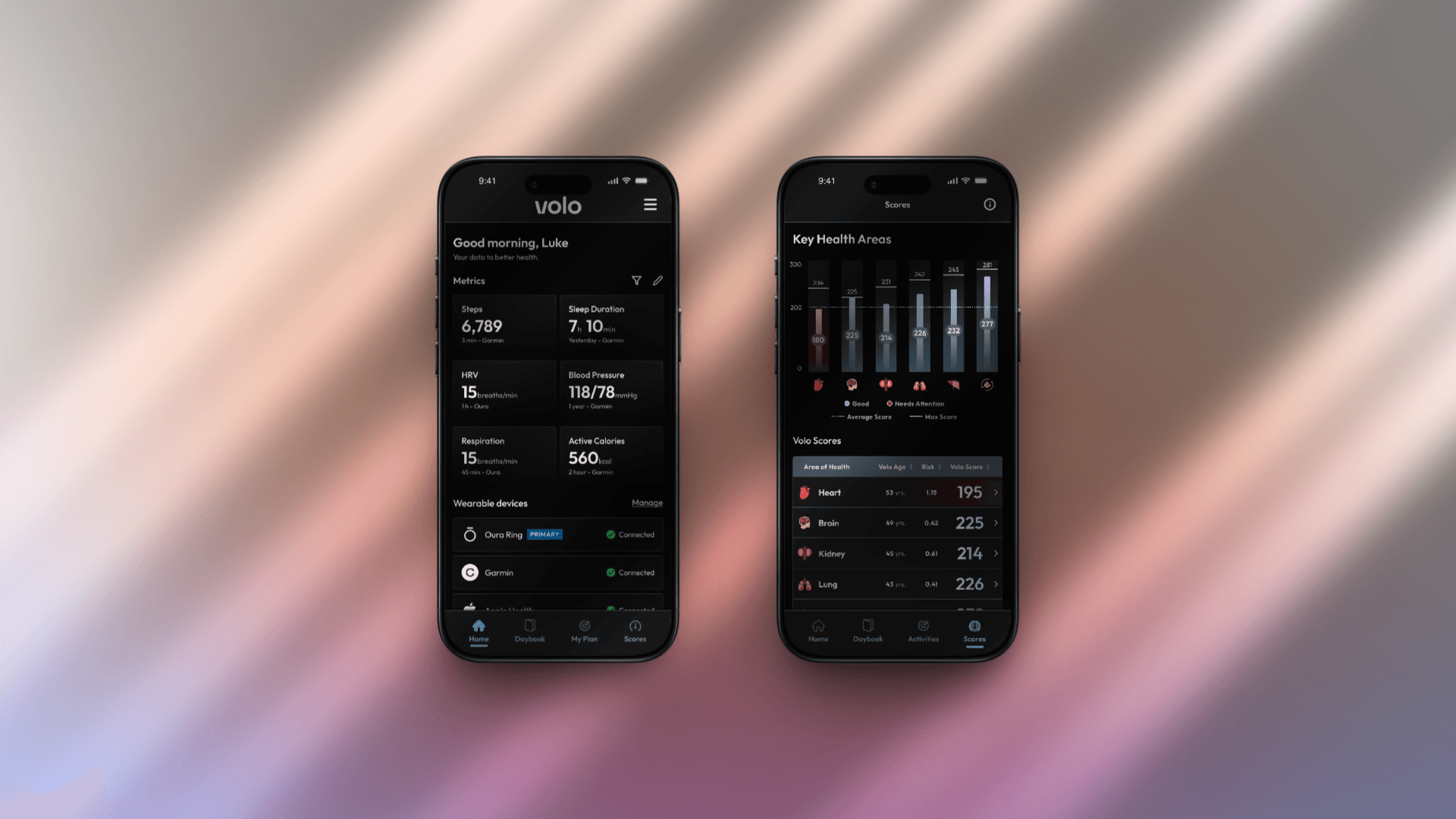
Overhauled key touchpoints of a biomarker health platform to keep users engaged between their blood test results.
Role
Product Design Intern
Team
Barry Miller -
President & Co-Founder
Tuhina Jeswani -
Product Manager
Luke Luber -
Product Design Lead
Zachary Walsh -
Visual Communication Designer
Emily Delleman -
Product & Customer Insights Analyst
Isabela Yamhure -
Product Management Intern
Heidi Alkoutami -
Technical Writer Intern
Agastya Doolam -
Product Design Intern
Focus Area
Engagement Strategy
Behavior Design
Product Experience
Duration
May - Aug 2025
About Voloridge Health
Voloridge Health turns complex biomarker data into simple, actionable insights. Using advanced predictive models, it analyzes blood-based biomarkers to generate personalized risk scores across six key areas: brain, heart, lungs, kidneys, liver, and metabolism. These insights help people understand where their health is heading and take meaningful steps early, instead of waiting for problems to appear.







How the Volo App Extends This Vision
Alongside biomarker insights, Volo connects with leading wearables like Oura, Garmin, Fitbit, Samsung, and Apple Health to bring real-time lifestyle data into the experience. By combining metrics such as sleep, activity, recovery, and heart rate with long-term biomarker insights, Volo helps people see how everyday patterns shape their future health. It turns scattered data from different devices into one connected, continuous story of well-being.
The Challenge
Voloridge could predict long-term health risks and track daily data through the Volo App, but the experience did not feel personal to users. Their wearables kept sending numbers, yet the journey felt quiet. Most opened the app only when new blood results arrived, sometimes after six months or a year. With no daily reflection or sense of progress, the experience felt clinical rather than engaging. The challenge was to turn this powerful data into everyday momentum and keep users motivated between tests.
"
How might we design touchpoints that made users feel connected to their health, not through numbers alone, but through reflection, consistency, and small wins that sustain behavior over time?
My Contributions
During my time at Voloridge Health, I worked across several touchpoints of the Volo app, from daily engagement features to habit-building systems that support long-term health. Among everything I contributed to, three areas shaped the core user experience the most. These weren’t isolated redesigns, but connected interventions shaped through strategy, UX, and UI design, all aimed at improving user retention, deepening behavioral connection, and building trust between tests.
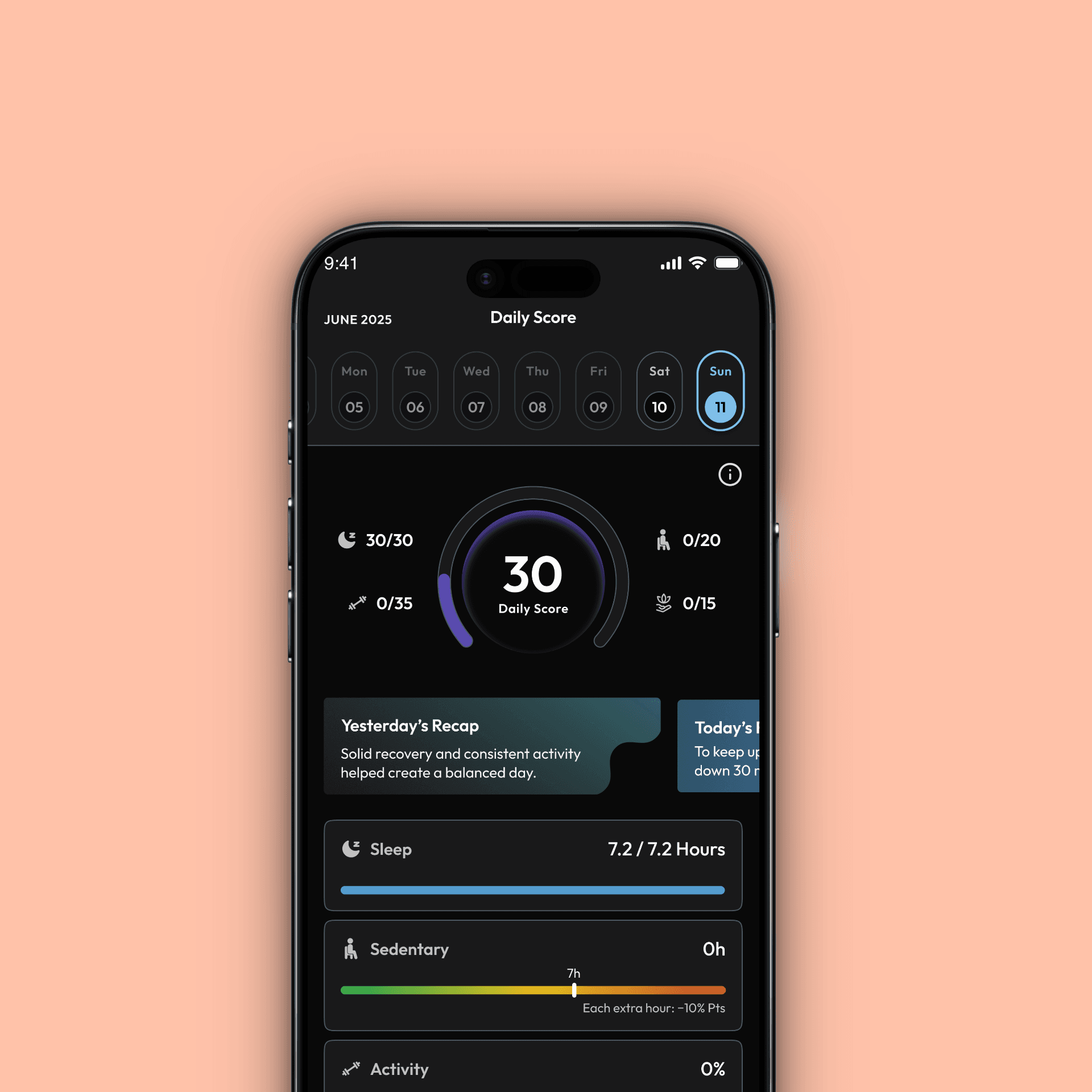
Daily Score
Turned sleep, steps, exercise, and journaling into one simple motivating daily health score.
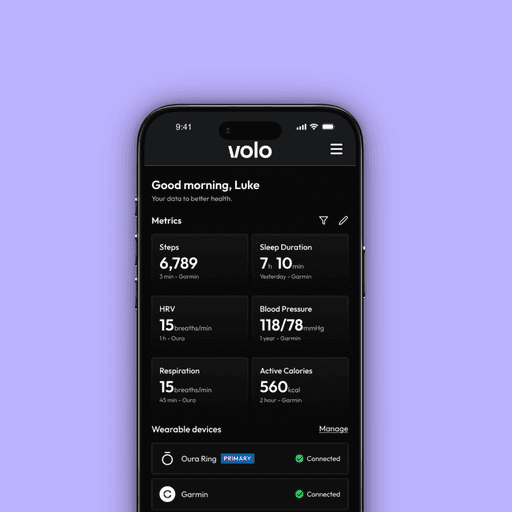
Home
Designed a more personal entry point with dynamic data states and contextual insights.
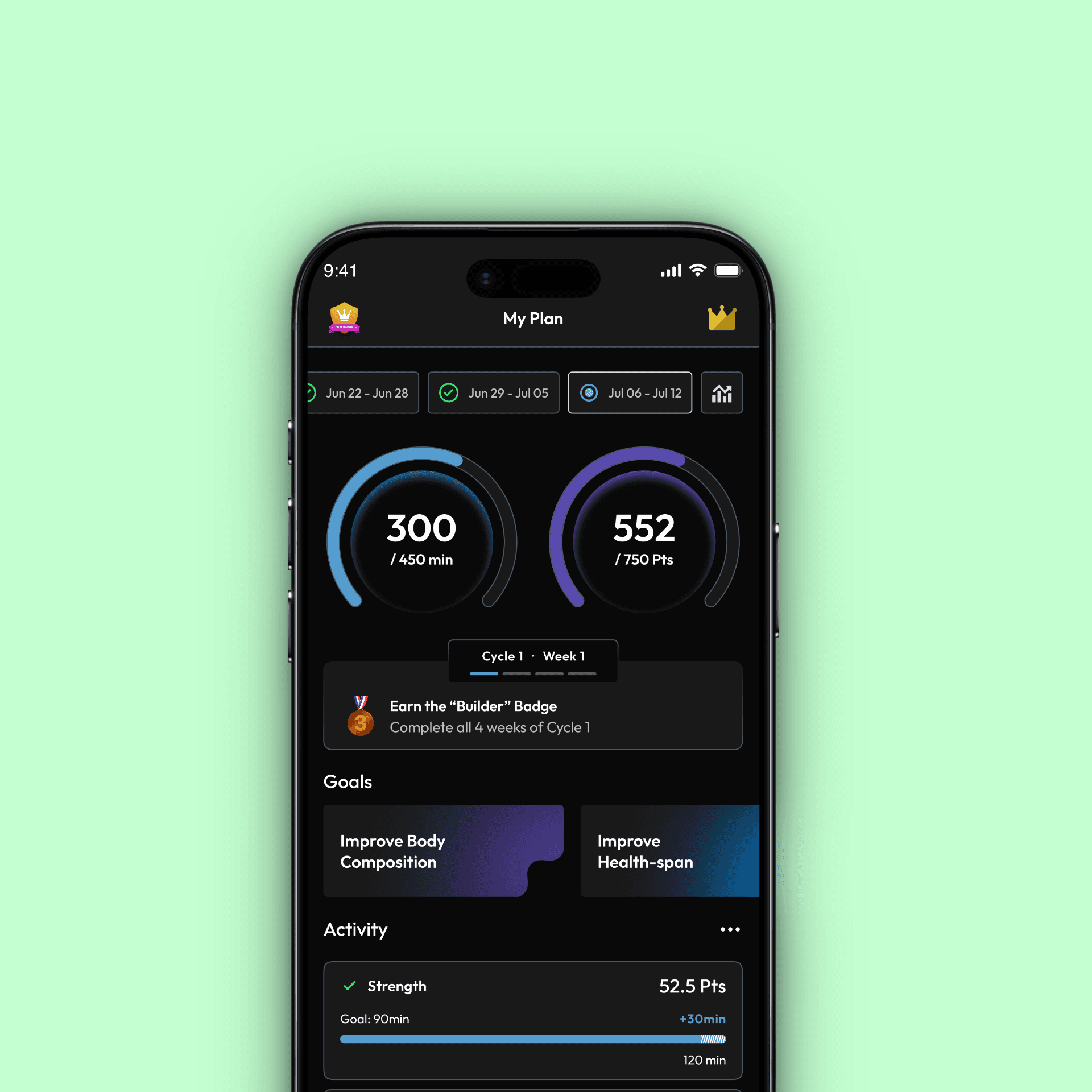
Activities
Gamified movement with challenges and progress feedback to build consistency.
The next part of this case study walks through how each of these areas evolved, the problems they aimed to solve, the design thinking behind them, and the impact they had.
Daily Score
Brief
Daily Score was introduced to give users a simple way to understand how their day went, a single number that reflects their sleep, movement, and overall wellbeing. The idea was to create a daily touchpoint that brings together data from Wearables, Activities, and Daybook, so users can check in more consistently. The team had an initial scoring structure prepared, but it hadn’t yet been tested against real routines, behavior patterns, or how people actually use the Volo app in their everyday life.
The Problem
Once we mapped the initial scoring approach to real user behavior, several issues became clear:
Exercise was treated like a daily obligation
This conflicted with Activities, which is built around weekly flexibility, not daily pressure.
A fixed step target didn’t fit everyone’s routine.
Users who exercised earlier in the day still “failed” the step requirement, which felt unfair and discouraging.
Rest days hurt the score too sharply
The model penalized normal rest days, which made the experience feel rigid instead of supportive.
BetterMe scoring hinged on a single rating
One mood input controlled a large part of the score, creating pressure to “input the right number.”
What We Discovered
Competitive Patterns
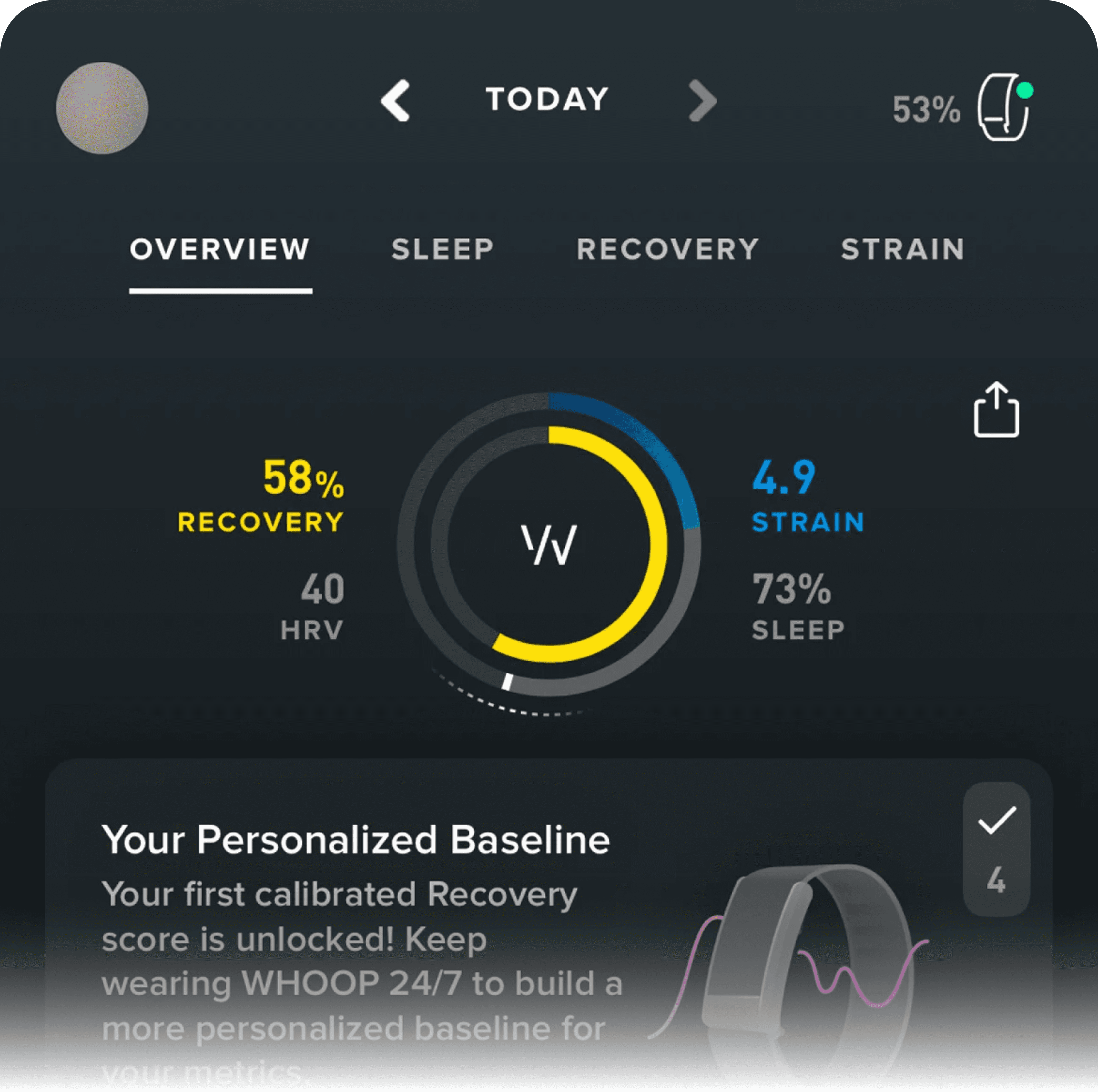
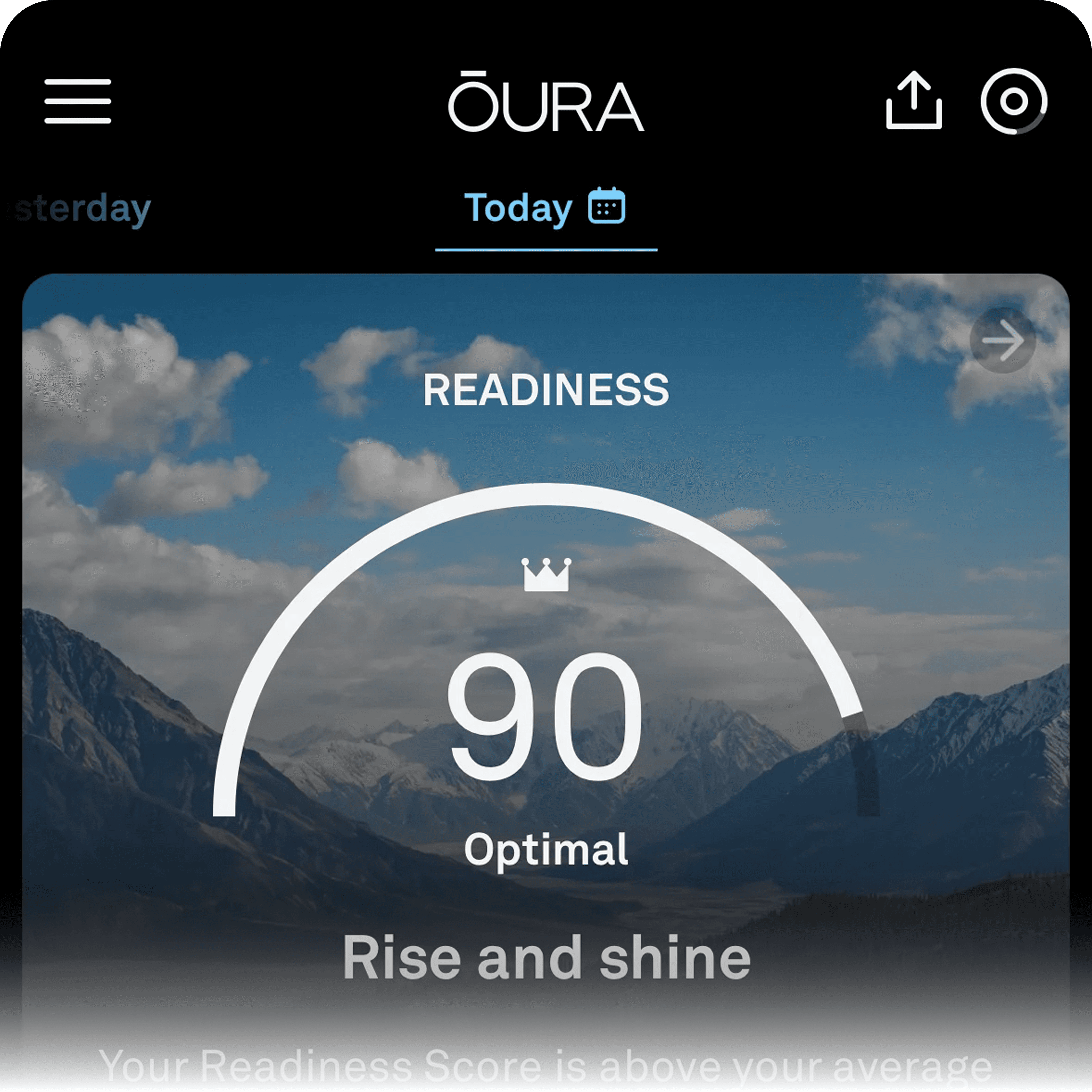
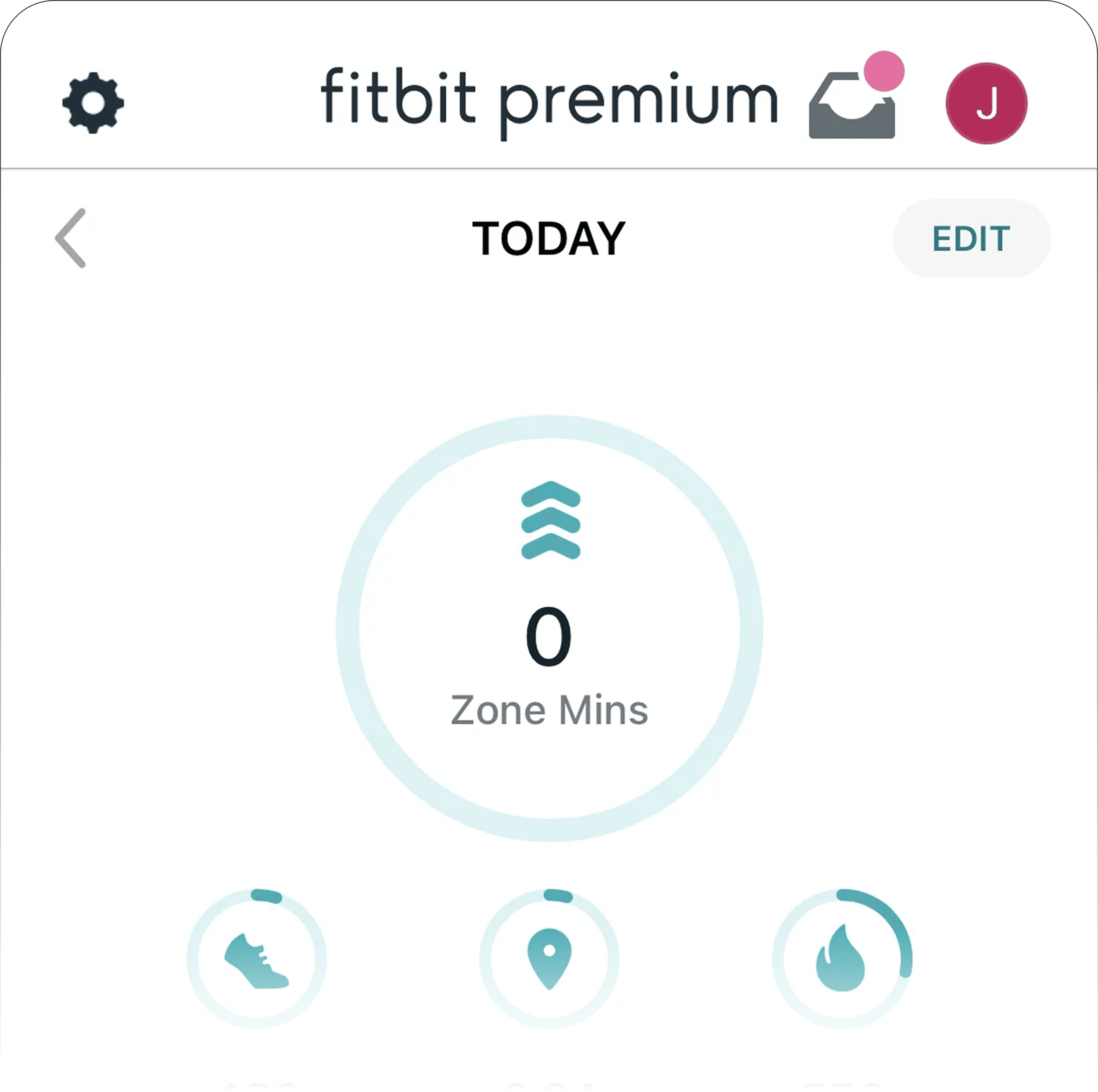
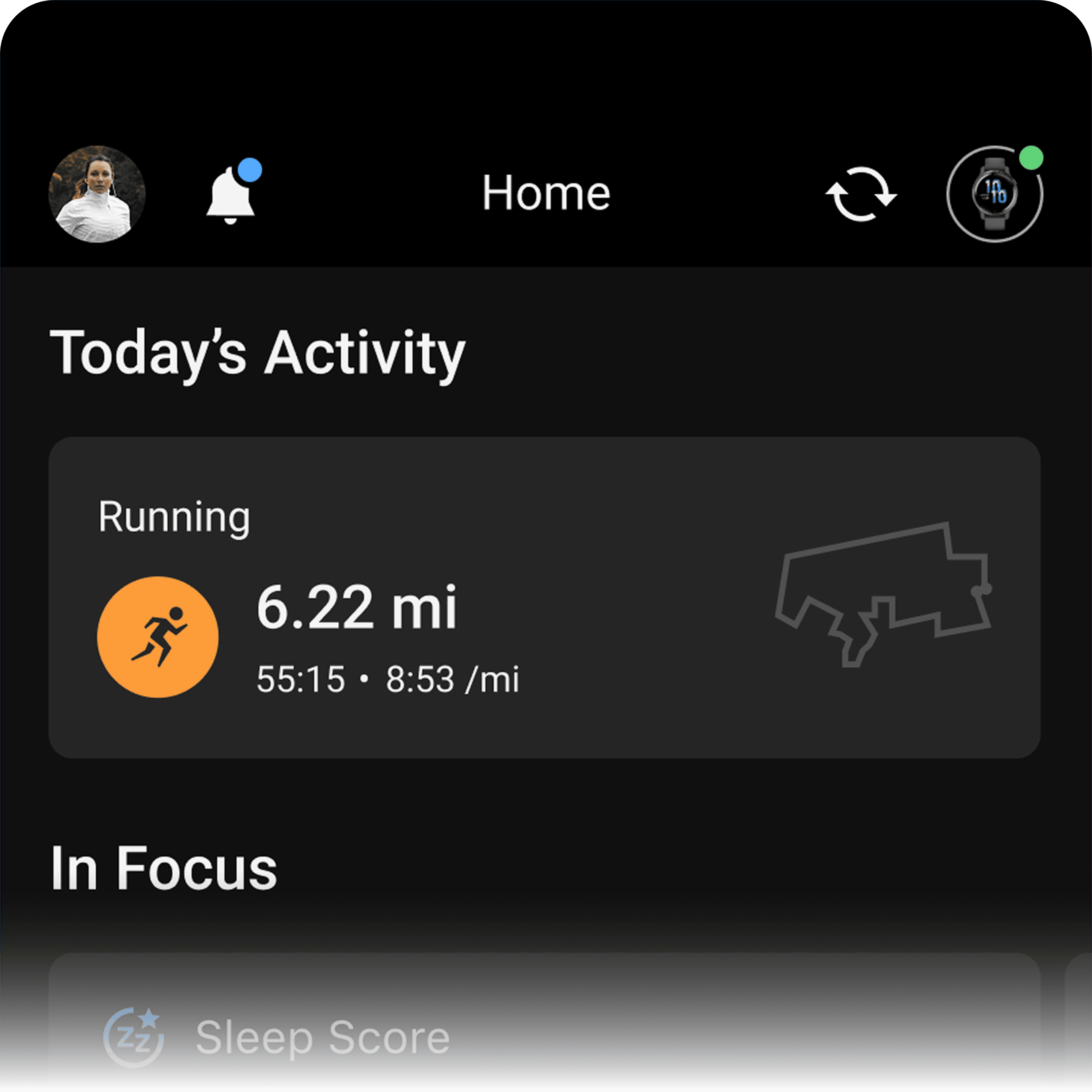
A review of Whoop, Oura, Fitbit, and Garmin showed that daily insights work best when they guide reflection, not strict performance.
Behavioral Insights
Our analysis showed that rigid daily targets can discourage users on low-energy or recovery days, especially when a system already supports weekly flexibility (Activities).
Scientific Input
Our research pointed to sedentary time as a major factor in daily wellbeing. A conversation with our health scientist confirmed that daily inactivity needed to be part of the picture.
Reframing Daily Score
Merging Exercise and Steps into one Activity bucket
Movement comes from different places, workouts, chores, steps, sports. Combining them made the score feel fair and prevented users from being penalized on days they trained but didn’t hit a strict step target.
Bringing Sedentary into the picture
Research showed that long periods of sitting have a major impact on daily wellbeing. Adding sedentary time helped complete the picture and made users more aware of a habit most people underestimate.
Making BetterMe more balanced
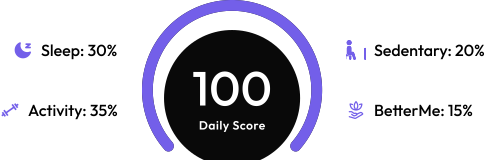
Instead of letting one mood rating swing the score, we split it into two parts: 50% for showing up and 50% for the rating. This encouraged honest check-ins and removed the fear of being “penalized” on tough days.
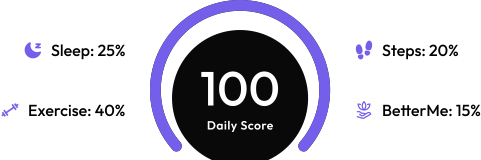
Updating the weightage to match real daily behavior
We rebalanced the score to better reflect realistic day-to-day patterns:
The Design
The Daily Score experience was designed to feel simple at first glance, while still offering clarity and depth when users chose to explore further. The goal was to help users understand their day without overwhelming them with numbers or logic.
Designing through iteration
The Daily Score evolved over multiple iterations before reaching its final form, shaped by feedback, testing, and a focus on fairness and clarity.

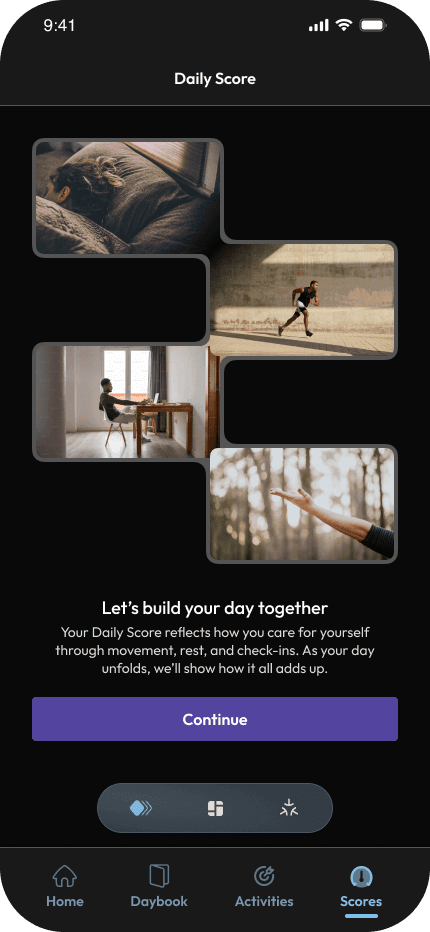
Guided onboarding before showing the score
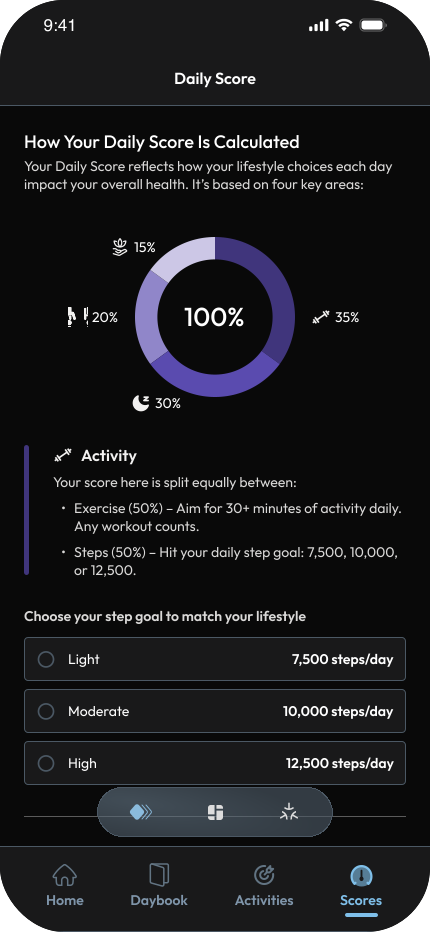
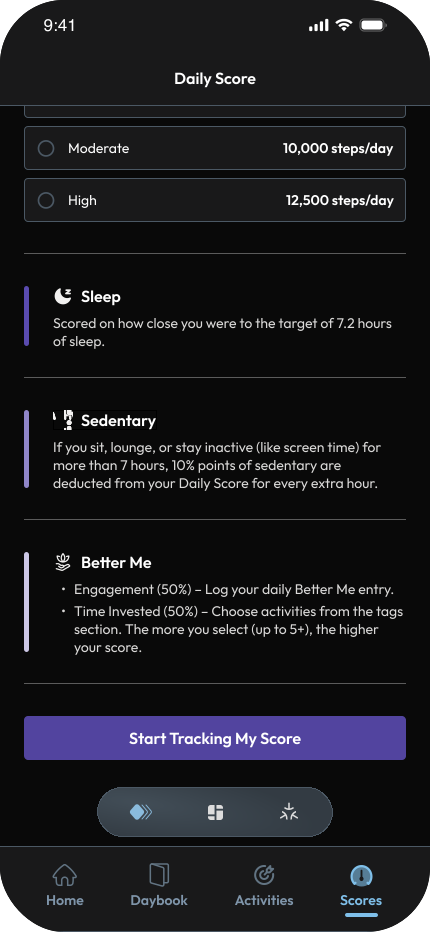
The Daily Score experience starts with a short onboarding flow that explains what the score represents, what factors contribute to it, and how it adapts to a user’s lifestyle before showing any numbers.
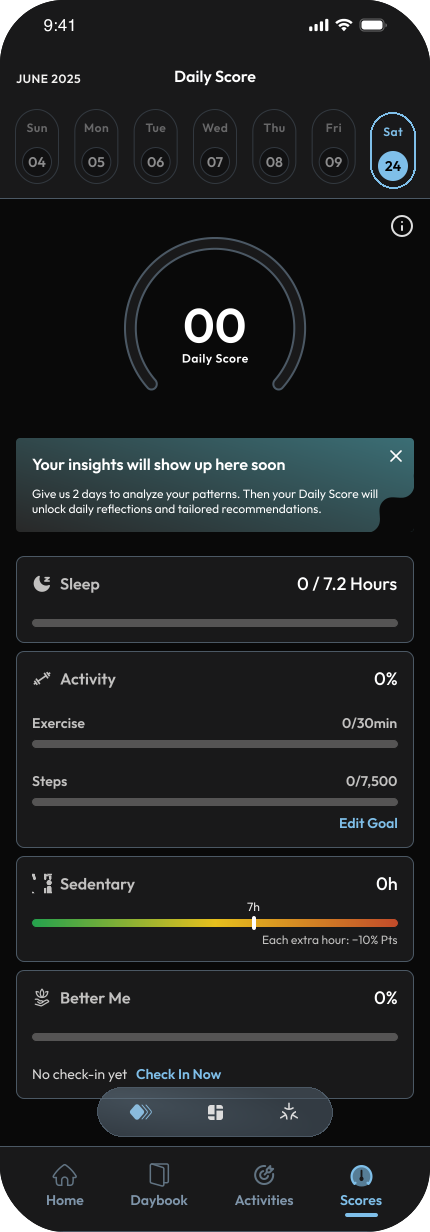
Designed multiple Daily Score states to reflect different moments in a user’s day, from getting started, to mid-day progress, to end-of-day reflection.
Getting started
At the start of the day, the score begins empty, outlining what will be tracked and setting clear expectations without adding pressure.
Reflection and guidance
Once enough data is captured, the experience shifts to insights, summarizing yesterday and highlighting a simple focus for the day ahead.
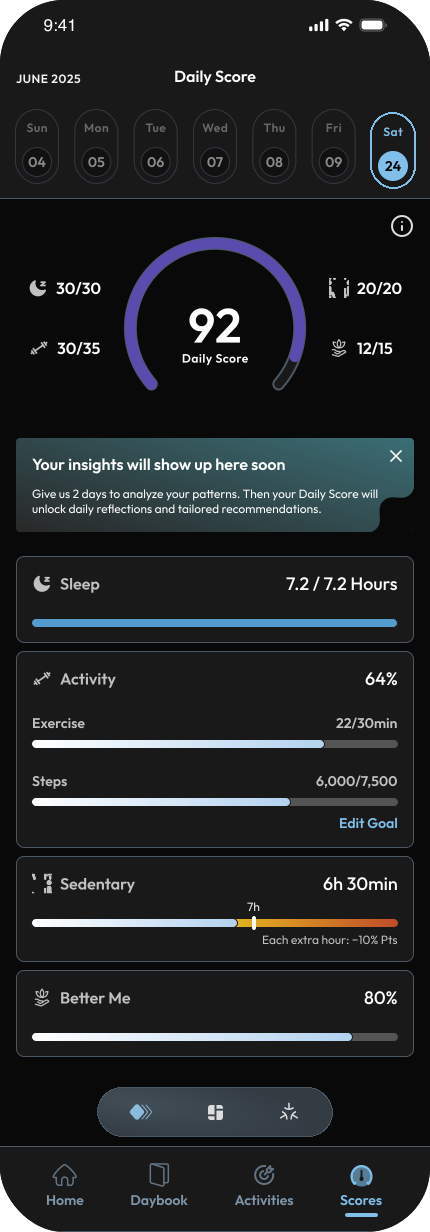
Progress in motion
As the day unfolds, the score updates live, showing a semi-ring breakdown of sleep, activity, sedentary time, and Better Me as effort adds up.
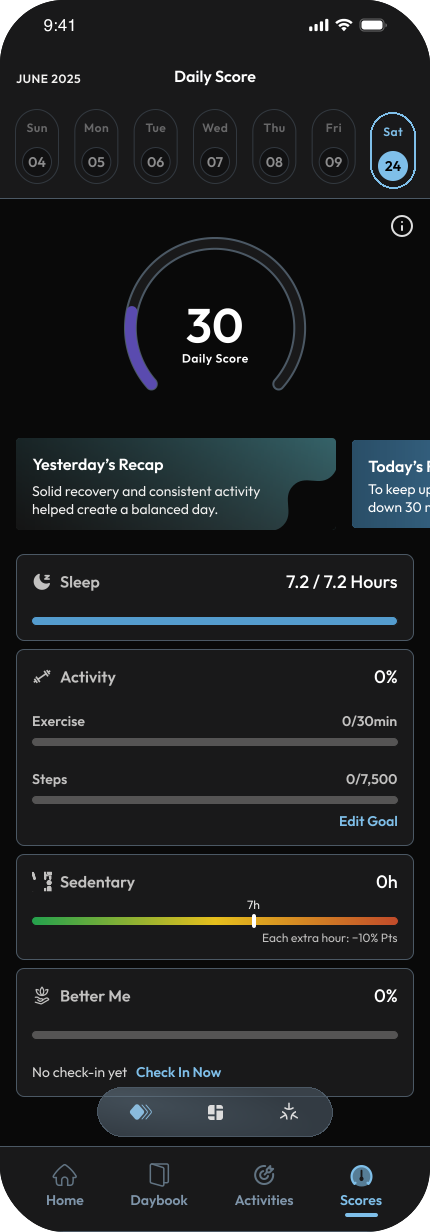
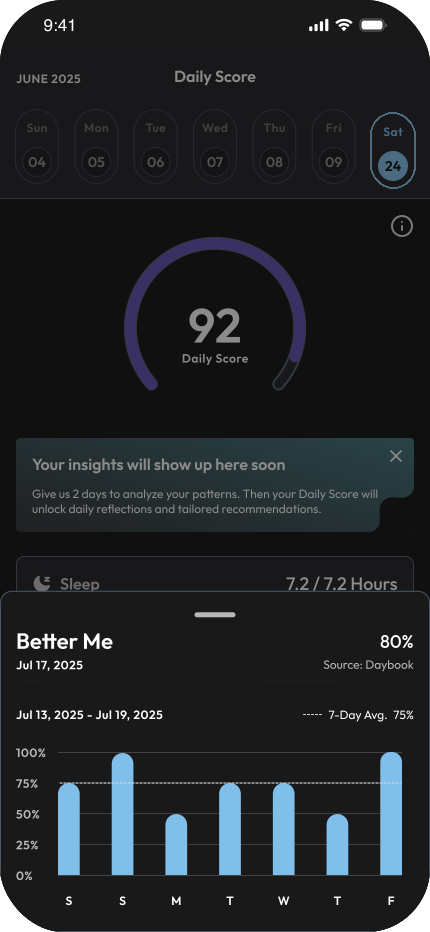
Understanding the score behind the number
Users can drill into each metric to see trends, sources, and contributions over time, helping them understand what actually shaped their Daily Score instead of guessing.
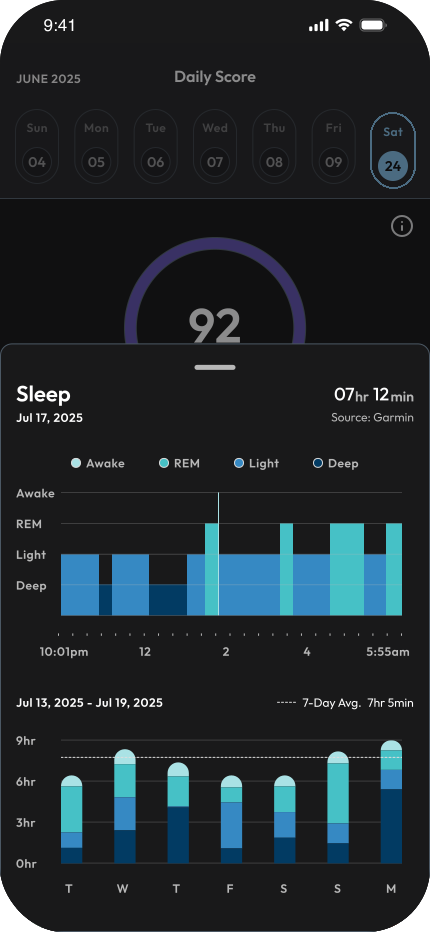
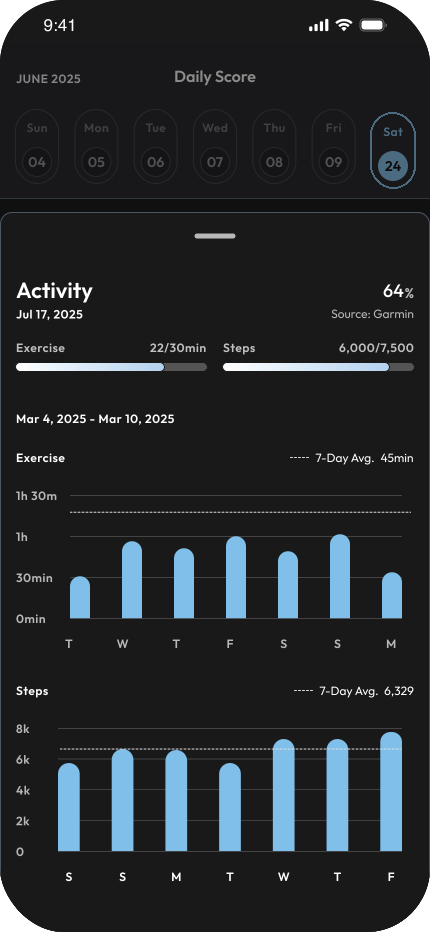
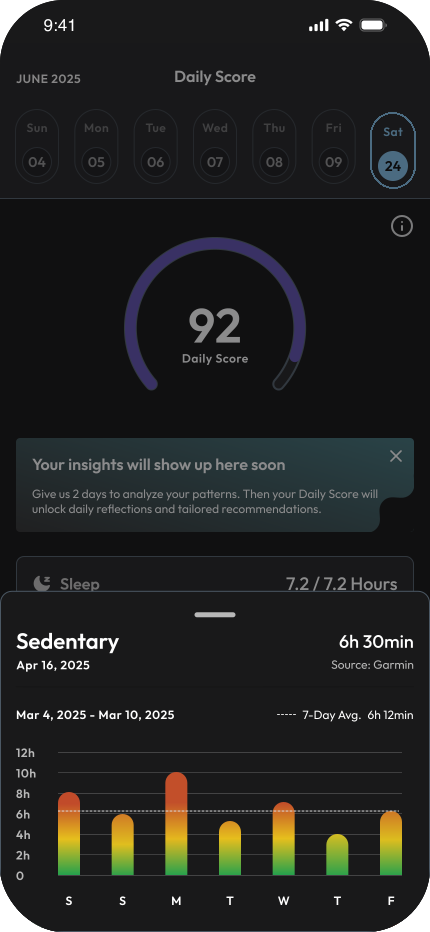
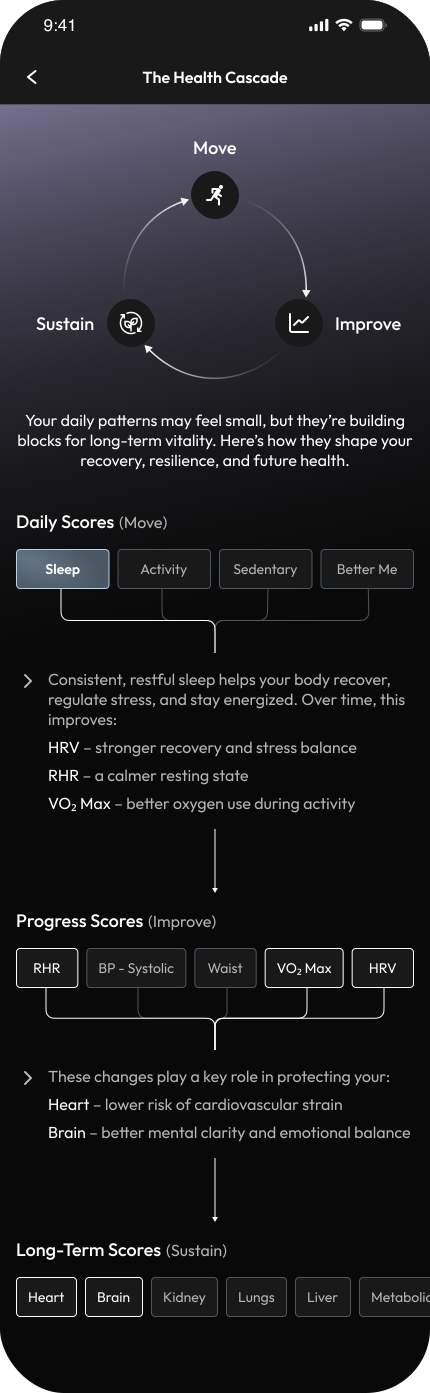
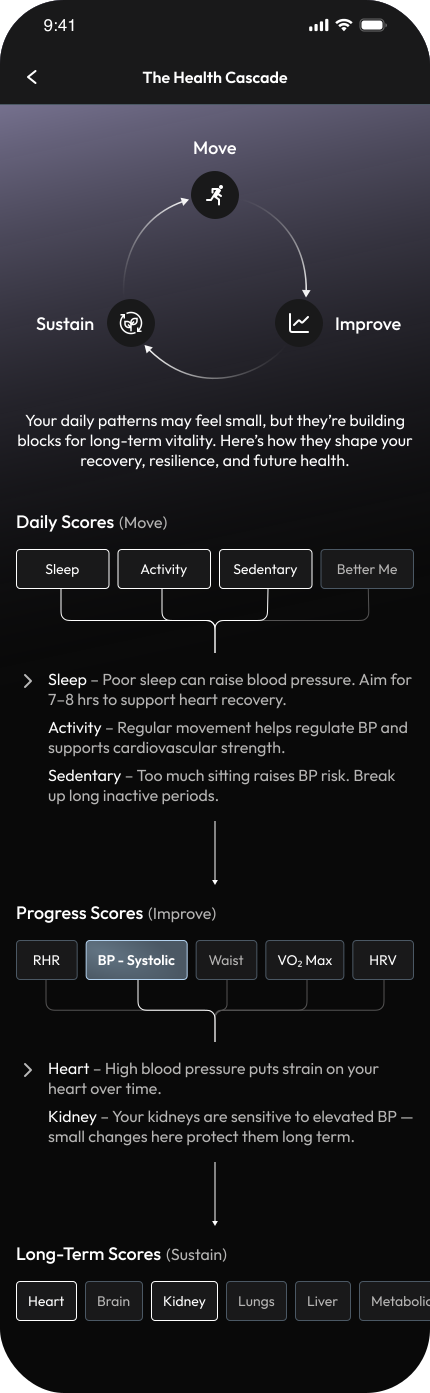
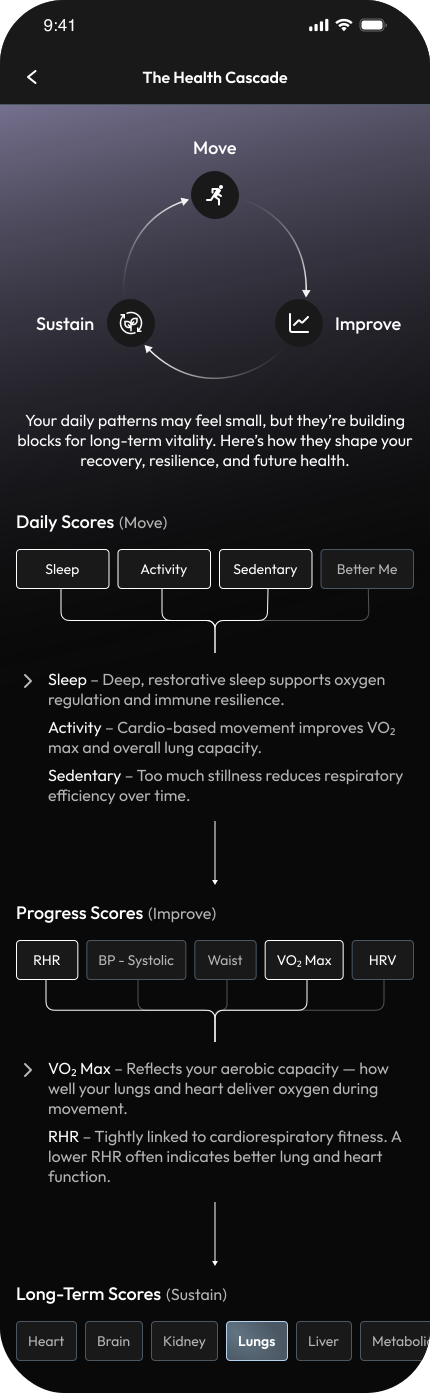
Making cause and effect visible
Through the Health Cascade, users can explore how daily habits roll up into progress metrics and long-term health outcomes, helping them understand not just their scores, but why they matter and how to influence them.
The Outcome
To evaluate the Daily Score experience, I ran quick internal usability sessions with 7 participants who regularly used wearable data in the Volo app. Sessions focused on comprehension, perceived fairness, and day-to-day usefulness of the score rather than accuracy of the underlying health models.
7 / 7 participants
could explain what influenced their Daily Score after a short walkthrough, without needing to understand the underlying calculations.
6 / 7 participants
felt the score reflected their day more realistically, especially on rest days, compared to step-only or workout-heavy scoring models.
found the breakdown of sleep, activity, sedentary time, and Better Me helpful in understanding why their score changed, not just that it changed.
said the shift from raw numbers to insights (recap + today’s focus) made the score feel more reflective than judgmental.
The redesigned Daily Score helped users move from passively checking numbers to actively understanding their daily patterns, making the experience feel fair, informative, and easier to return to each day.
Home
The Problem
What the Home was meant to do
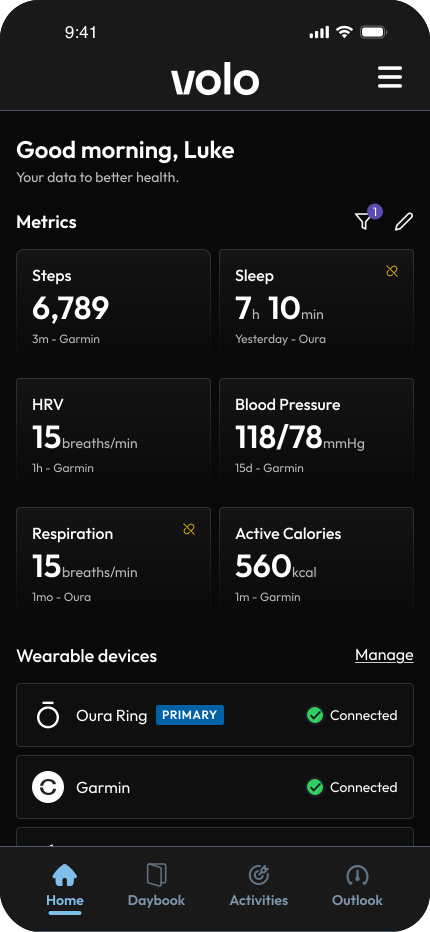
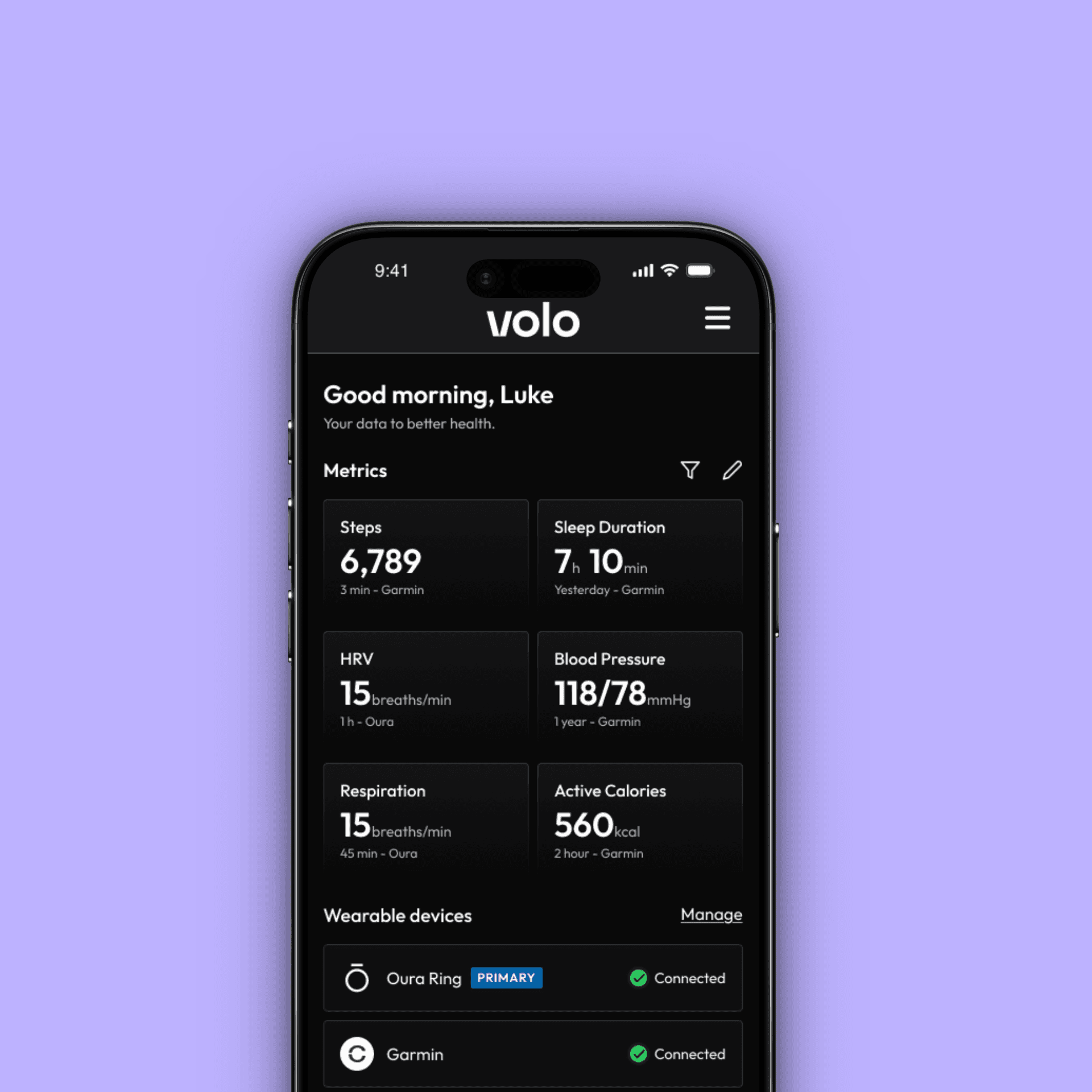
Give users a clear daily snapshot of their health by pulling data from connected wearables.
What actually happened
When multiple devices like Oura and Apple Health were connected, Volo displayed the same metrics twice such as sleep, steps, and heart rate, creating confusion and inconsistency.
Key User Feedback (from interviews and usability sessions)


"Sometimes I see two completely different sleep scores — one from Oura, one from Apple. I never know which one is right."
- Ryan Patel
Why it mattered
Users didn’t know which data to trust and stopped relying on Home for insights.
What users did instead
They turned back to native apps like Oura and Apple Health, which offered detailed breakdowns such as sleep stages and activity trends.
The result
The experience that was meant to simplify health data ended up scattering it, hurting clarity, trust, and daily engagement.
The Goal
The aim was to make the Home experience feel clearer, more personal, and worth coming back to — a space users could rely on every day.
Bring clarity to the experience
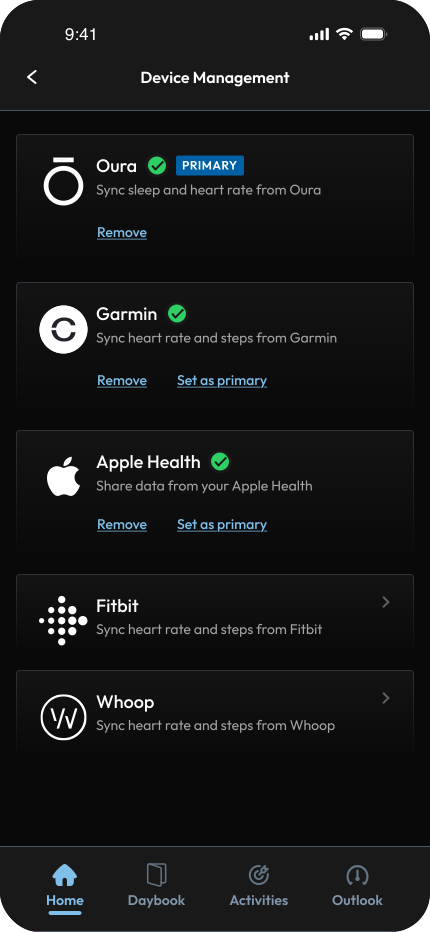
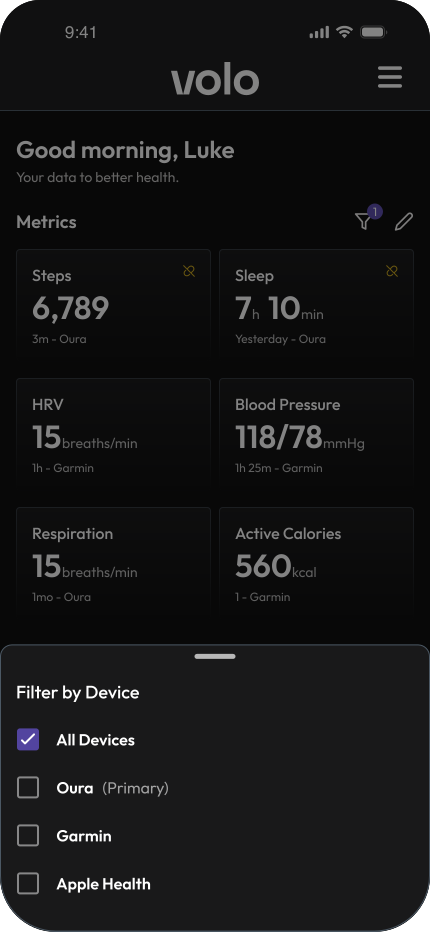
Simplify how data is displayed so users see one trustworthy view of their health, without duplicate or conflicting numbers.
Make Home feel personal
Give users control over what they see by allowing them to focus on the health metrics that matter most to them.
Add depth where it matters
Offer richer breakdowns and trends for each metric so users get meaningful context without needing to leave Volo for native apps.
The Design
Each goal translated into focused design decisions — bringing clarity, control, and depth to the daily experience.
Bringing Clarity to the Experience
Making Home Feel Personal
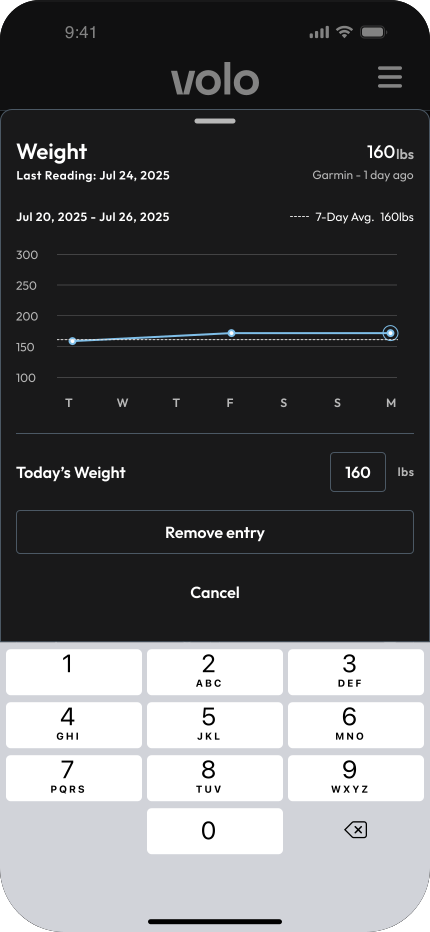
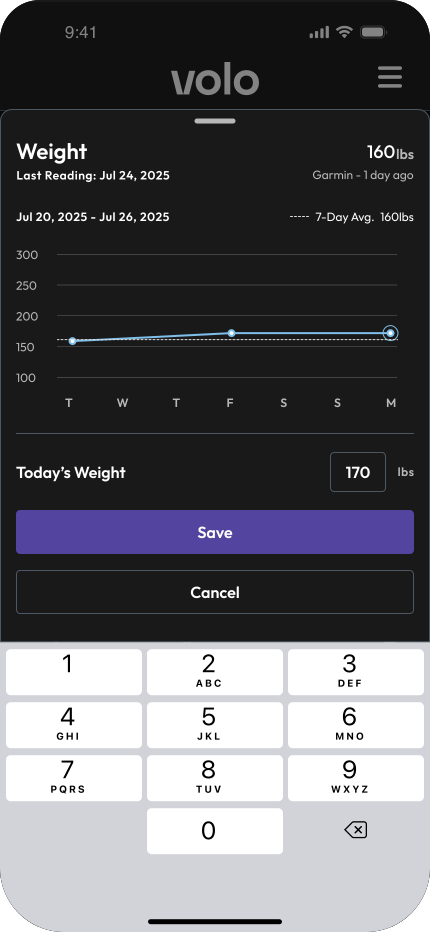
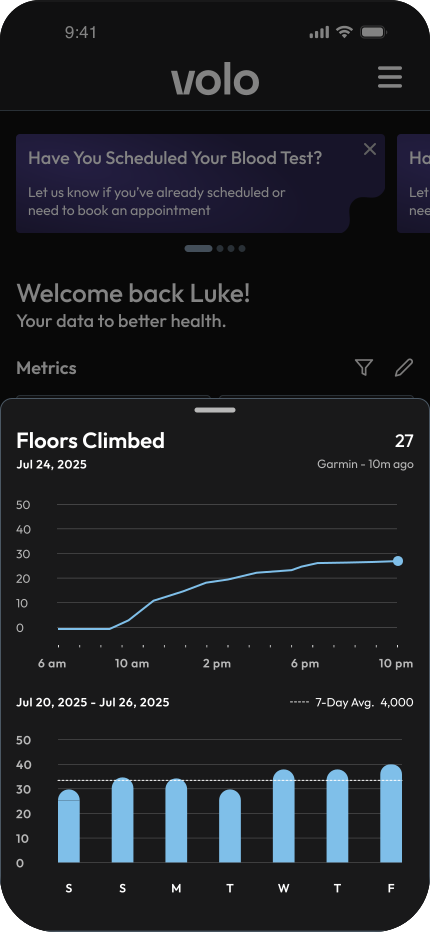
Redesigned Home to be fully customizable, letting users choose which metrics to track and arrange their layout the way they prefer.
Adding Meaningful Depth
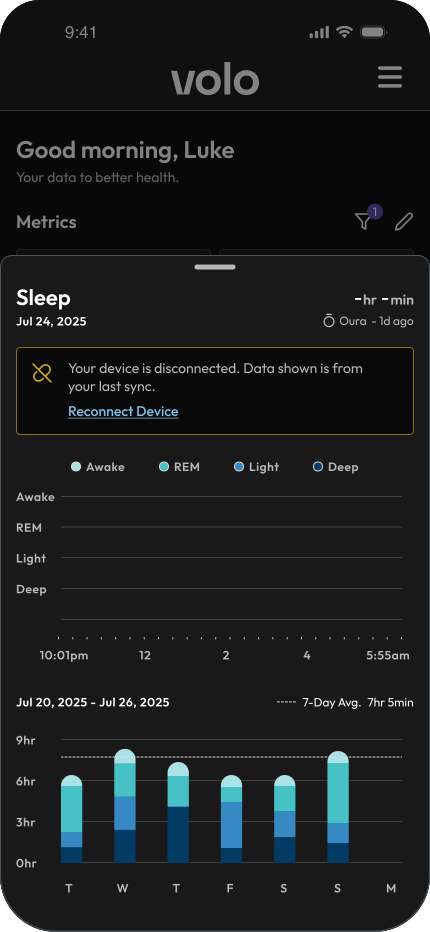
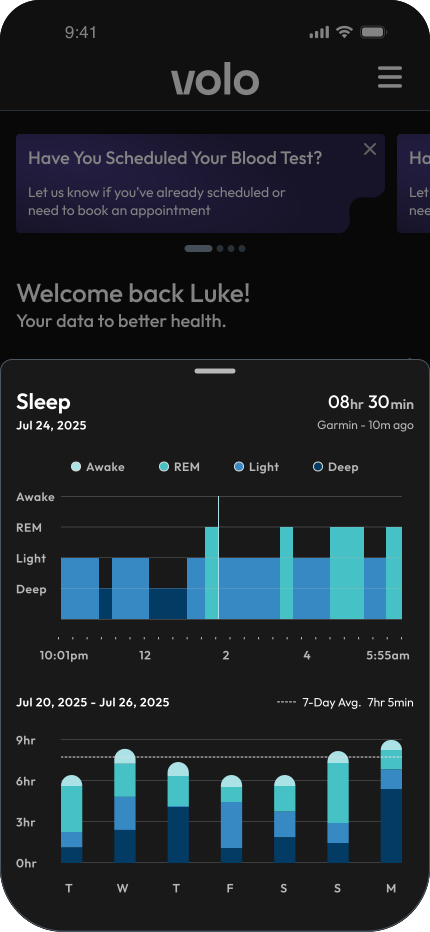
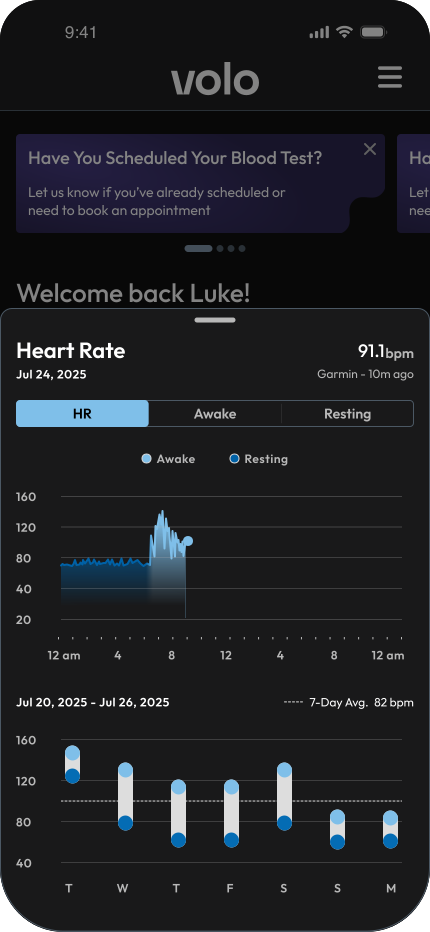
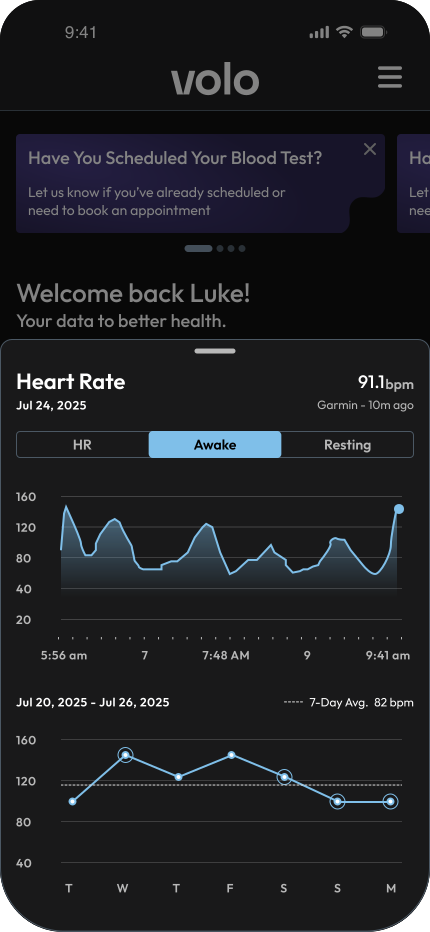
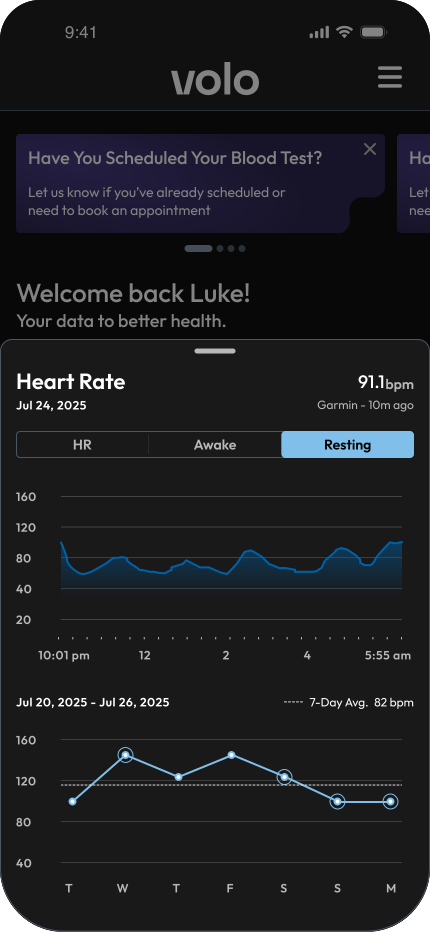
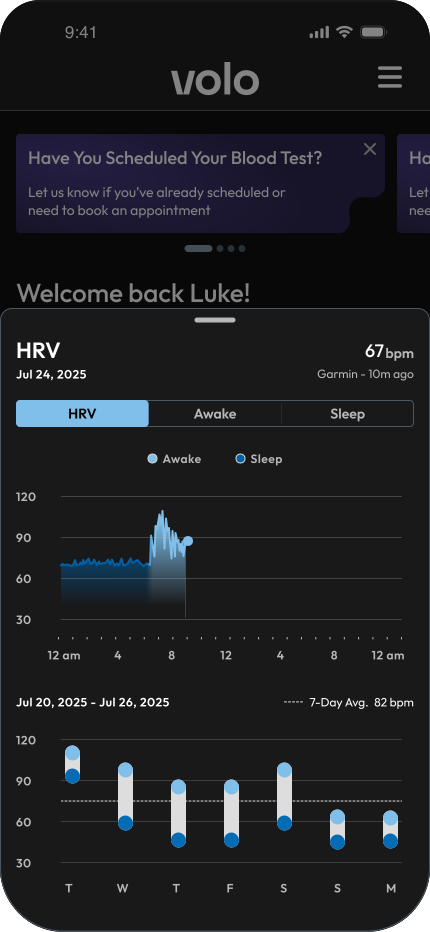
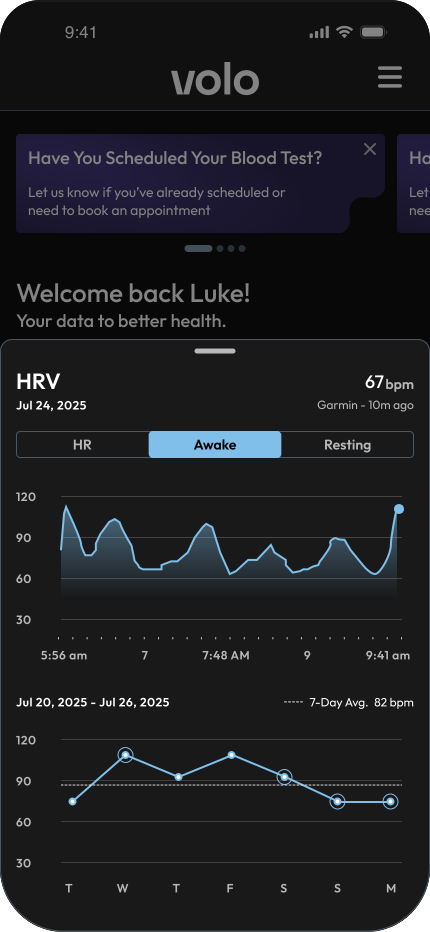
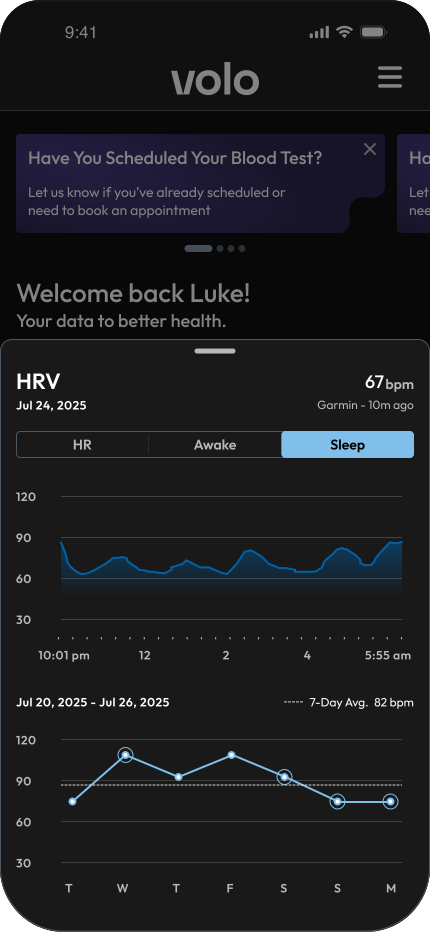
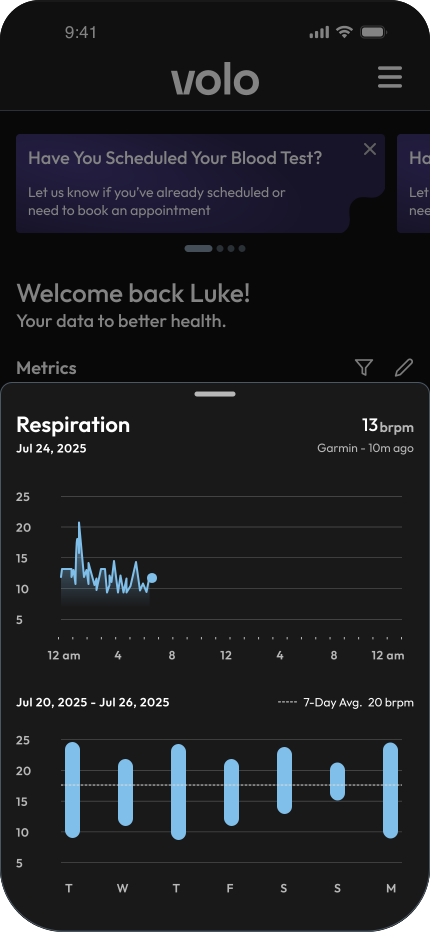
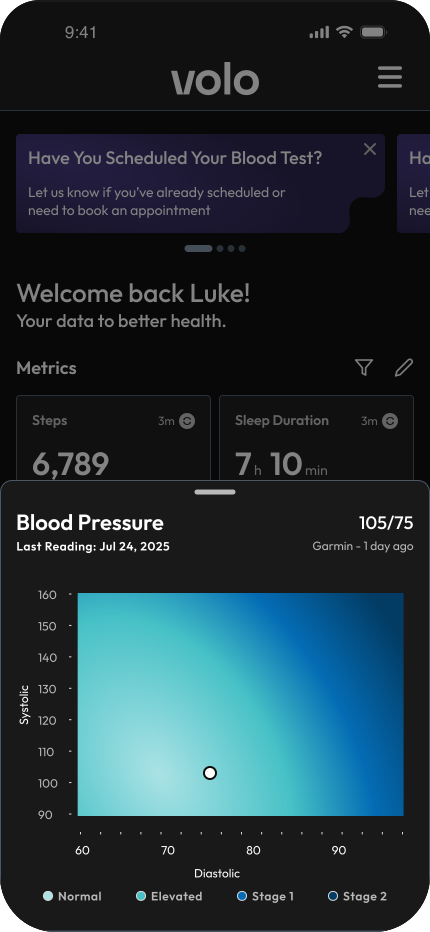
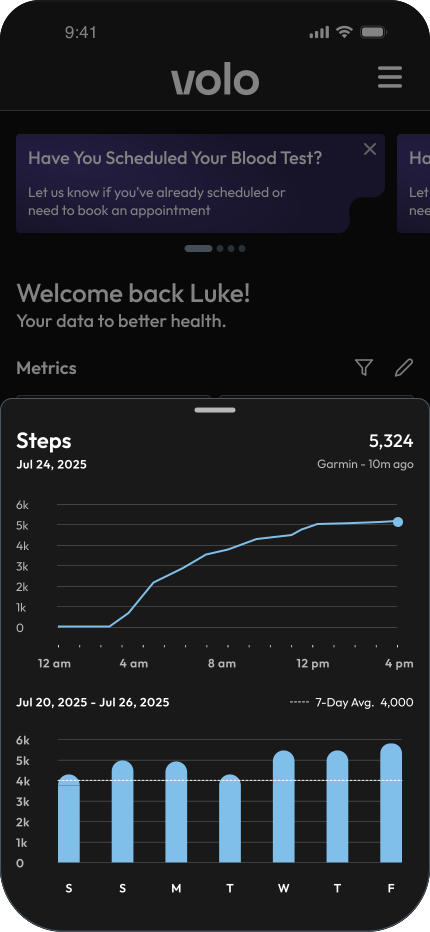
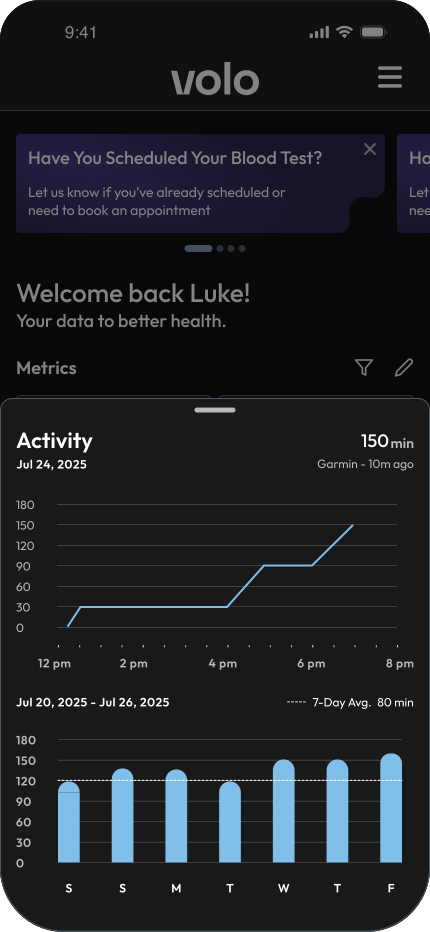
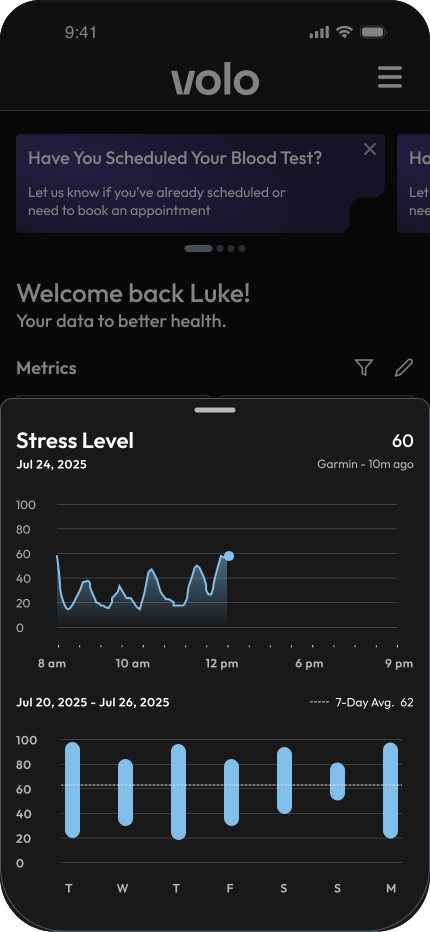
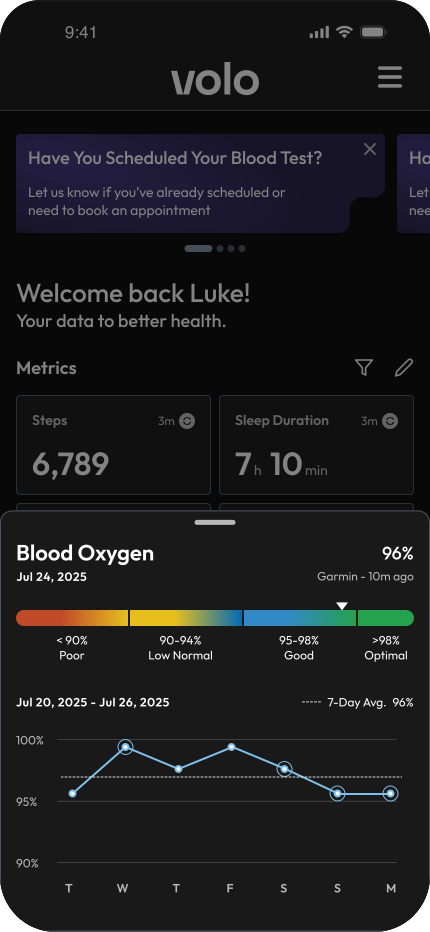
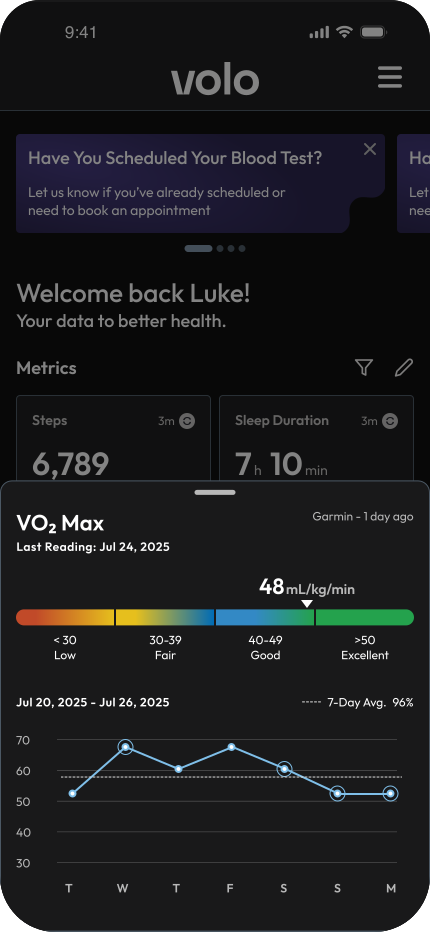
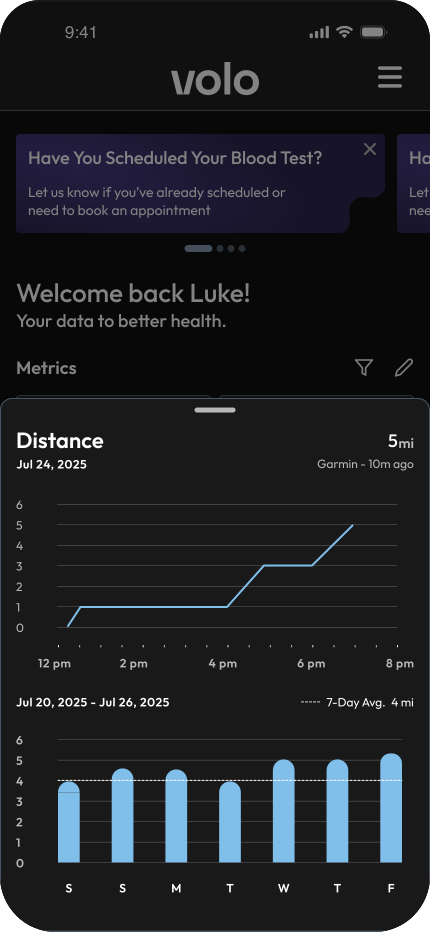
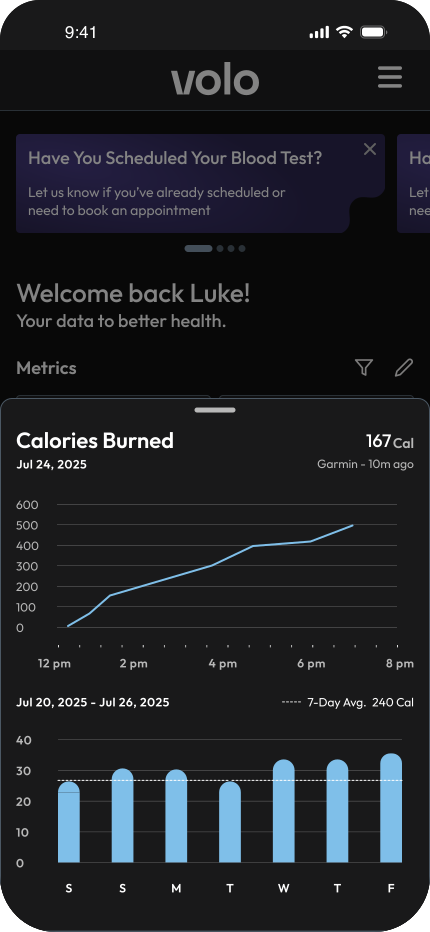
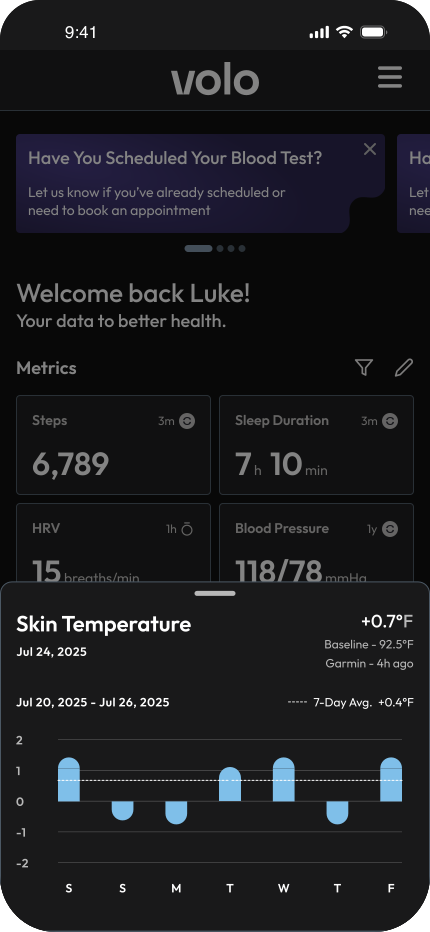
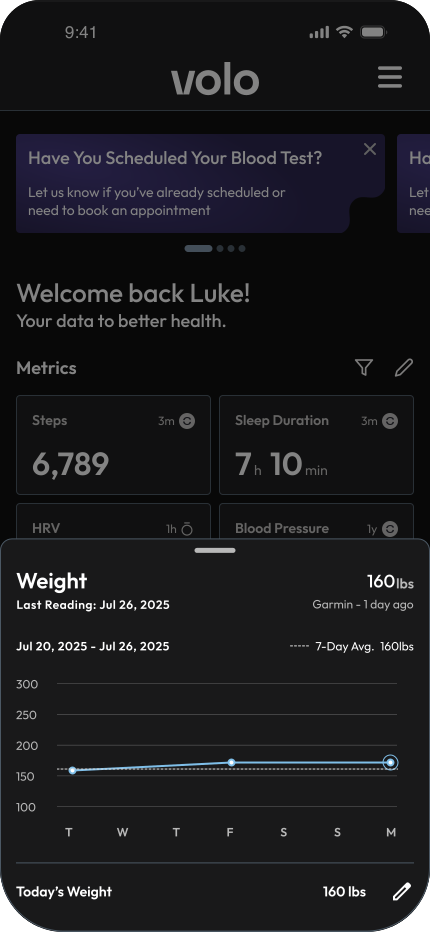
Designed detailed metric breakdowns with trend visuals that help users explore patterns for each health metric.
The Outcome
Method
Conducted quick guerrilla testing sessions with 7 internal participants who actively used the Volo app. The goal was to validate clarity, customization, and overall usability of the new Home design.
What We Observed
6 / 7 participants
instantly identified which device their data came from.
5 / 7 participants
customized their layout within the first few minutes.
5 / 7 participants
said the “last synced” and “device disconnected” states made the experience feel more transparent.
Key Takeaway
The redesigned Home helped participants understand their data faster and feel more in control of what they saw. It turned a once-confusing experience into a space that felt clear, personal, and easy to return to.
Activities
Why Activities Exists
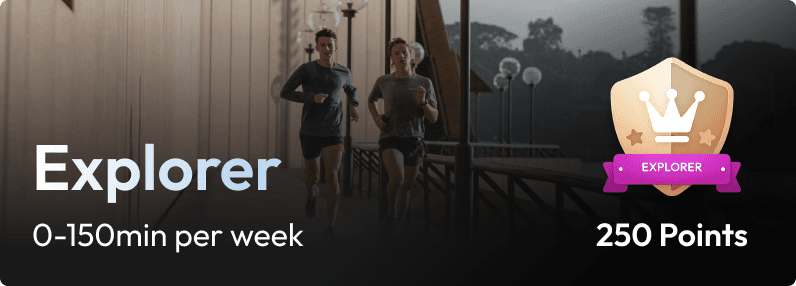
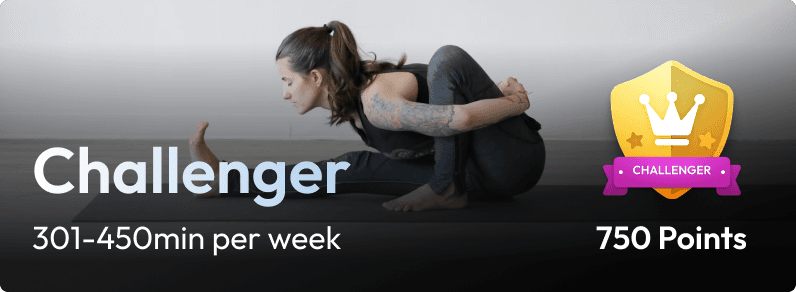
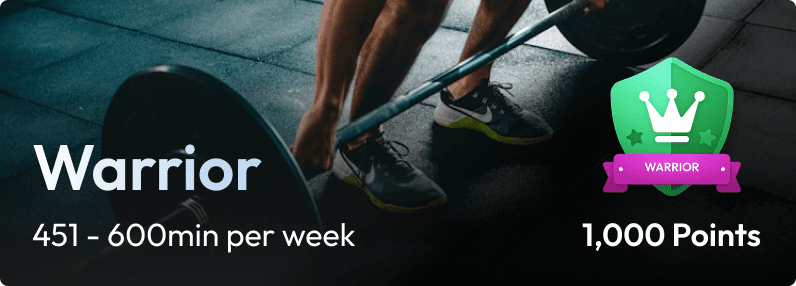
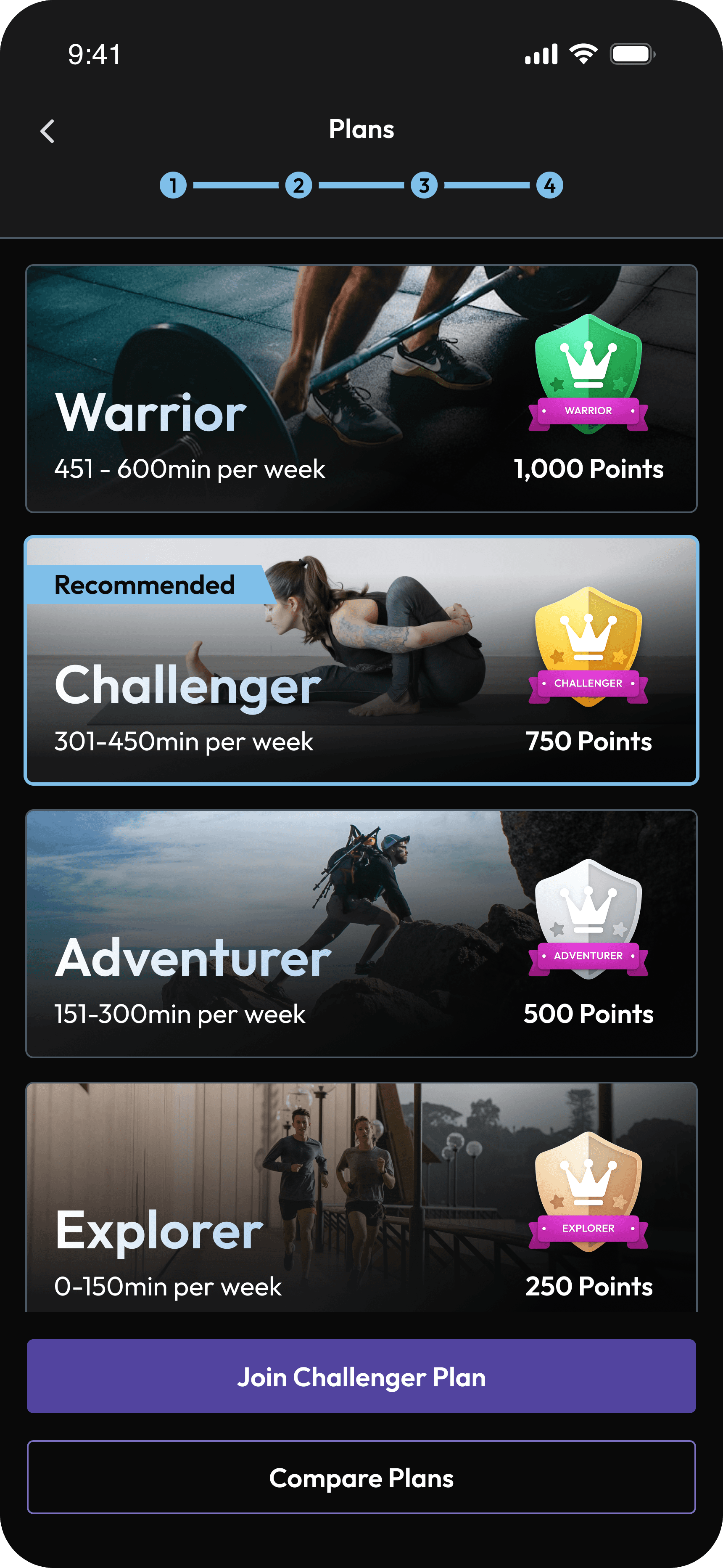
Activities was created to give purpose to all the data flowing in from users’ wearables. It turns passive tracking into guided action through four science backed tiers - Explorer, Adventurer, Challenger, and Warrior each designed around weekly goals that balance - strength, functional movement, heart rate zones, and wellness. Instead of prescribing workouts, it helps users use their own routines more effectively, focusing on balance, consistency, and long-term health rather than pressure or perfection.

Strength
Functional
Hear Rate Zones
Wellness
The Problem
Even though Activities was designed to make movement simple and structured, users struggled to see its value. Adoption was low, and those who joined rarely stayed engaged. To understand why, I spoke with both groups — people who didn’t sign up and those who did but later dropped off.
Those who didn’t join said:
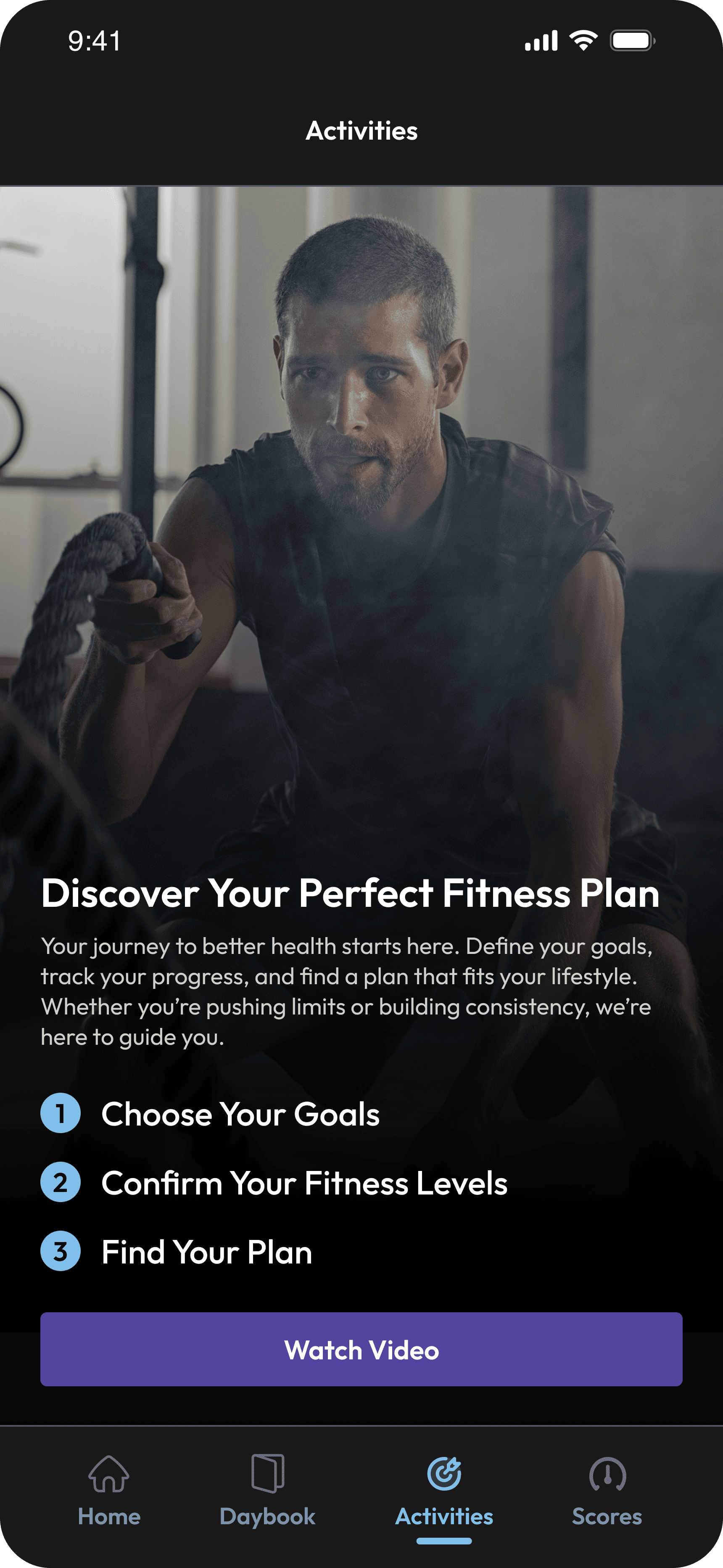
They didn’t fully understand what Activities was for.
The onboarding felt long and unclear.
Those who joined but didn’t stay said:
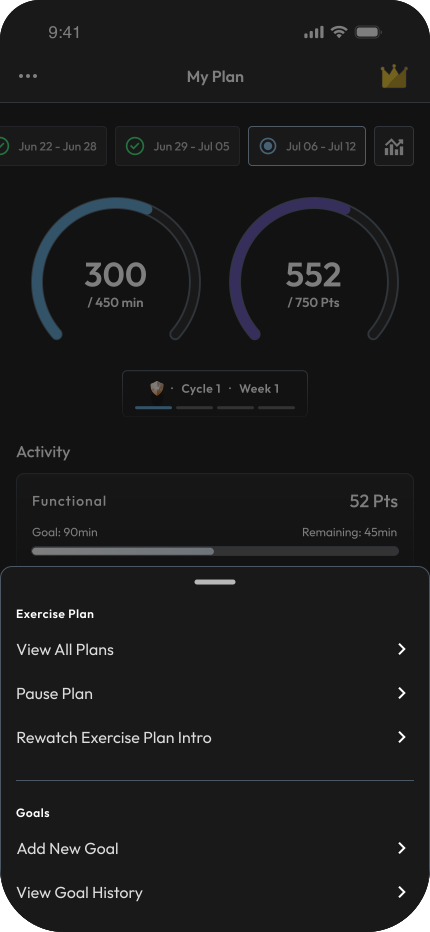
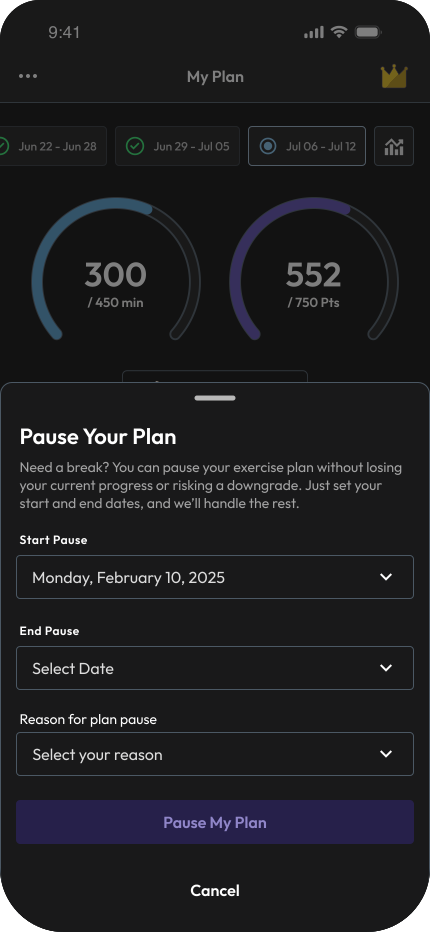
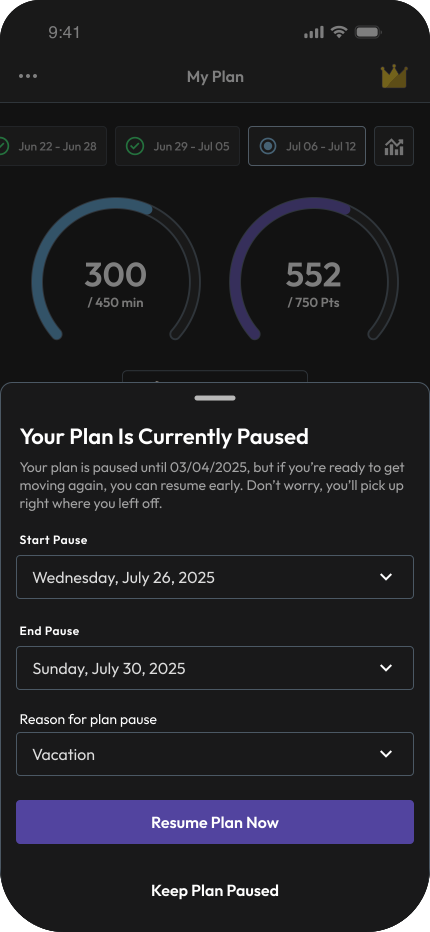
They didn’t know how to switch plans midway, pause a plan when life got busy, or adjust their goals.
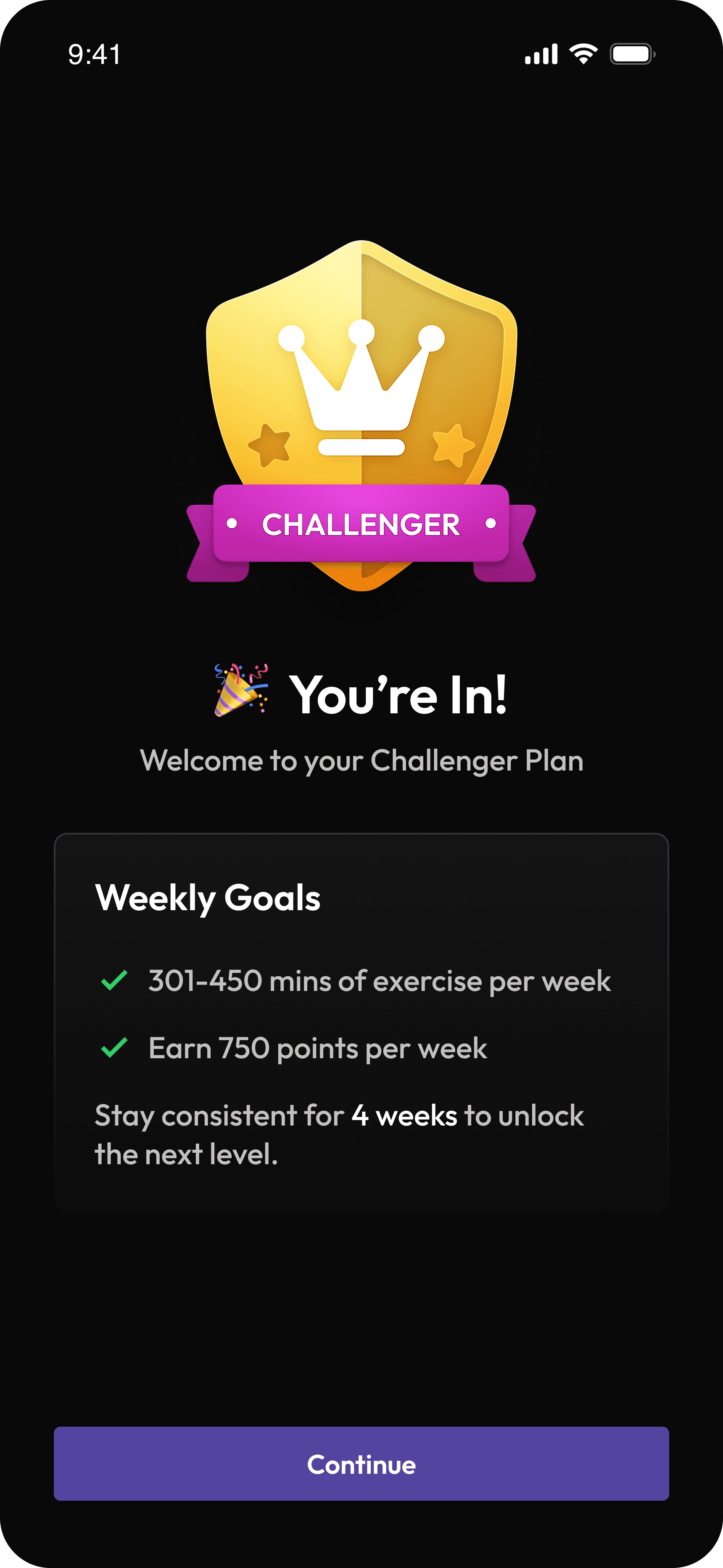
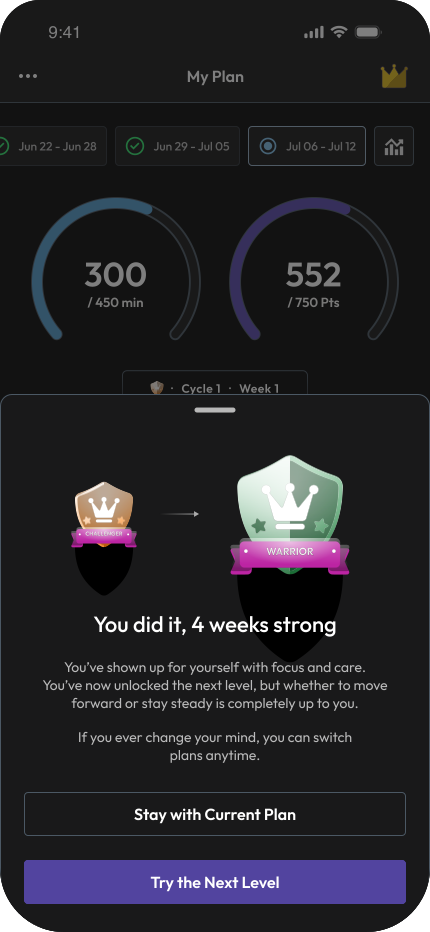
After four successful weeks, they were automatically moved to a higher tier even when they felt the previous one was already their limit.
They saw categories like strength, functional, and heart rate zones, but were not sure which workouts contributed to which buckets.
Beyond usability, they felt alone in the journey. There was no shared sense of progress or encouragement that made consistency feel rewarding.
The Goal
The goal was to turn Activities from a passive tracker into an active movement companion — one that gives users structure, control, and a reason to stay consistent.
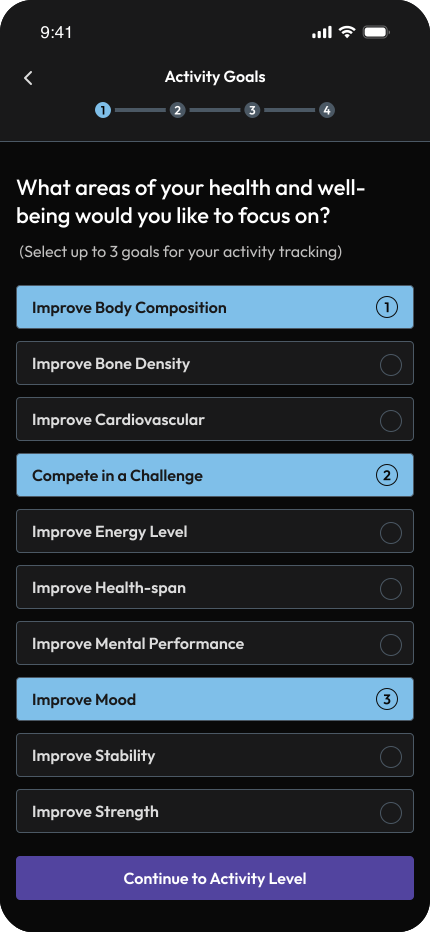
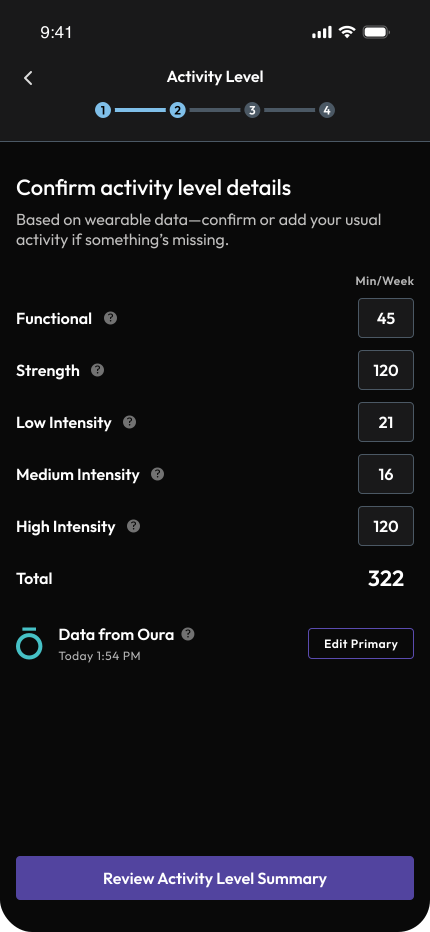
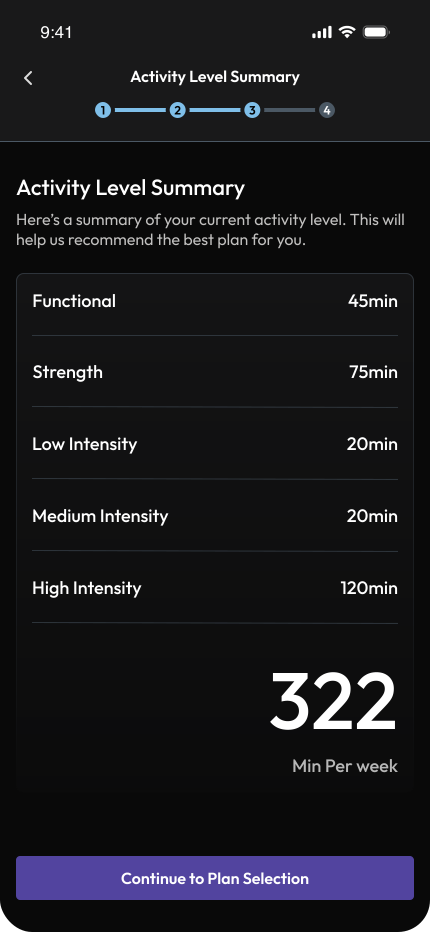
Simplify onboarding and understanding
Clarify what Activities is, simplify how users choose their tier, and create a smoother onboarding flow that sets the right expectations from the start.
Give users control over their plan
Let people switch, pause, and continue at a pace that fits their life instead of feeling pushed by the system.
Bring clarity to progress
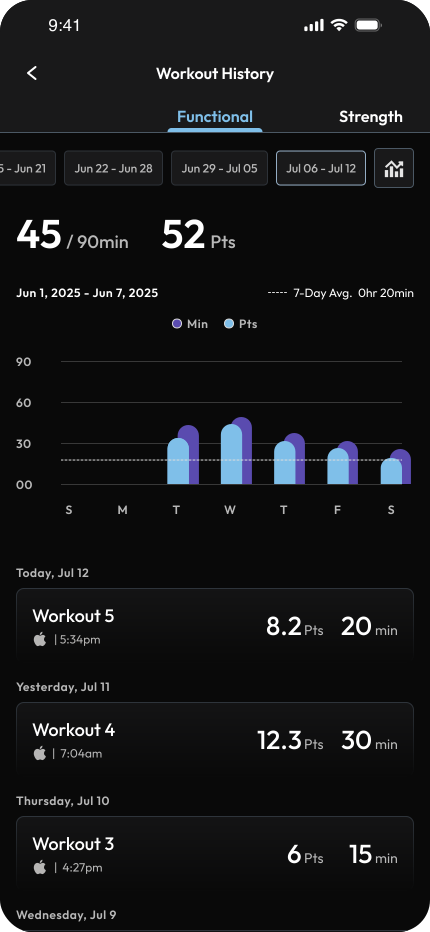
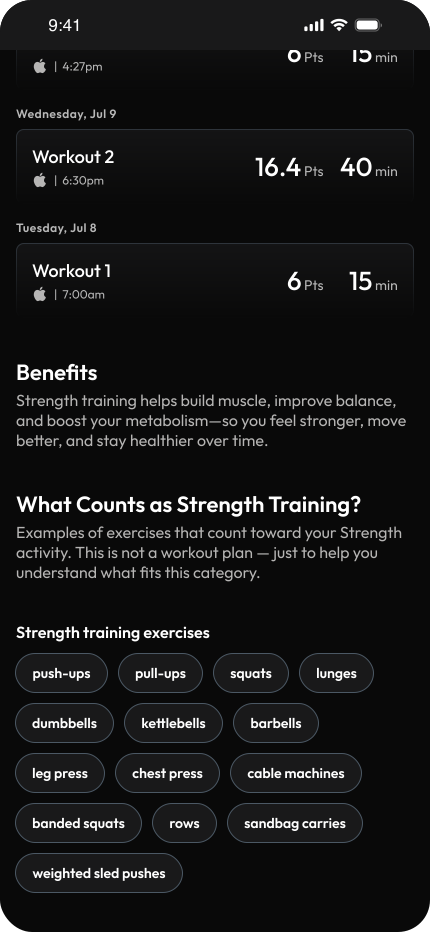
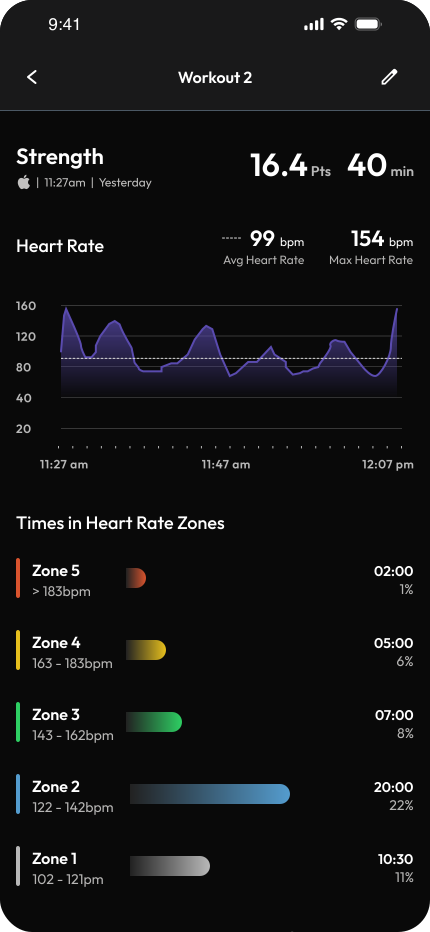
Show users how their workouts contribute to each category — strength, functional, and heart rate zones, so they know exactly where their effort goes.
Motivate through gamification
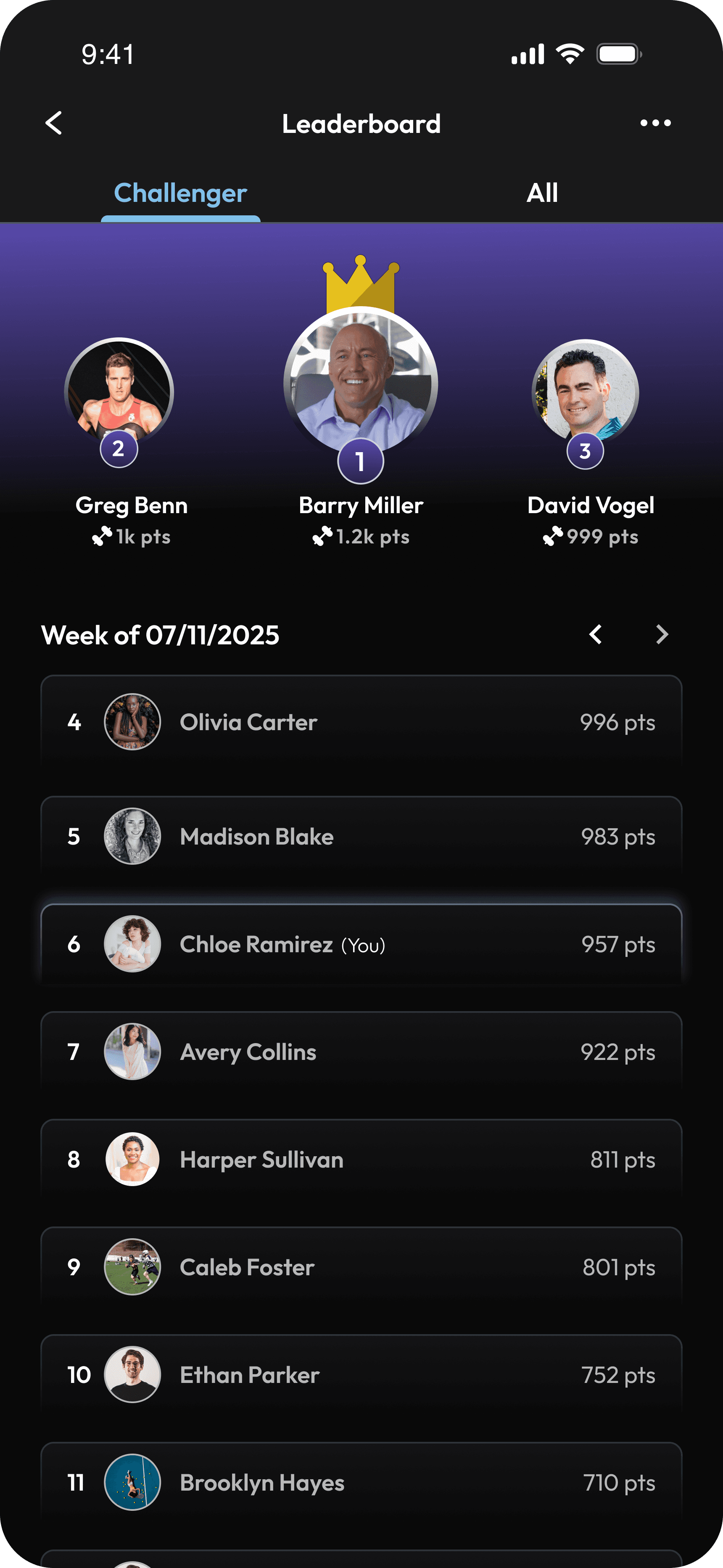
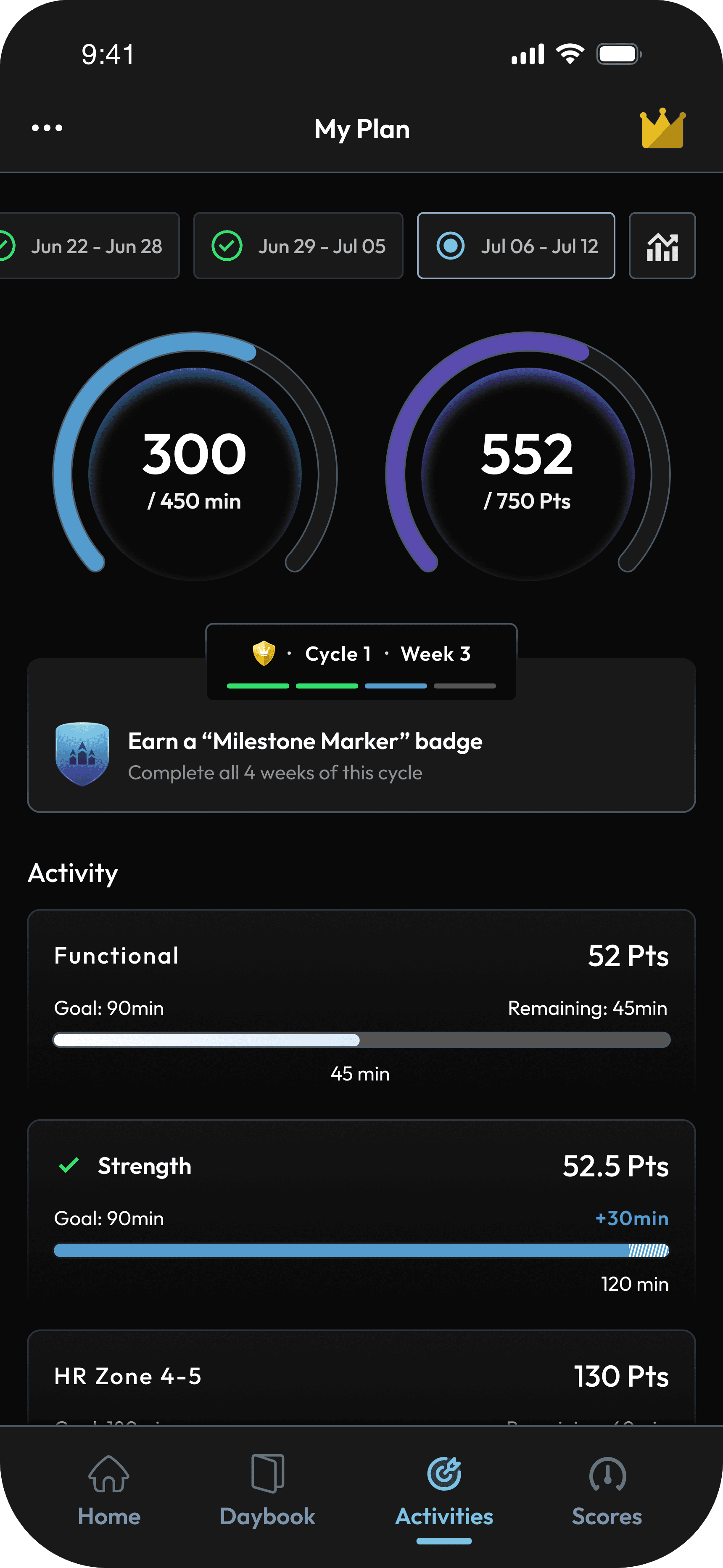
Encourage consistency through leaderboards, badges, and milestones that make progress feel social and motivating, not stressful.
The Design
Each goal guided the design choices that improved clarity, control, and motivation in Activities.
Simplify onboarding and understanding
Giving Users Control Over Their Plan
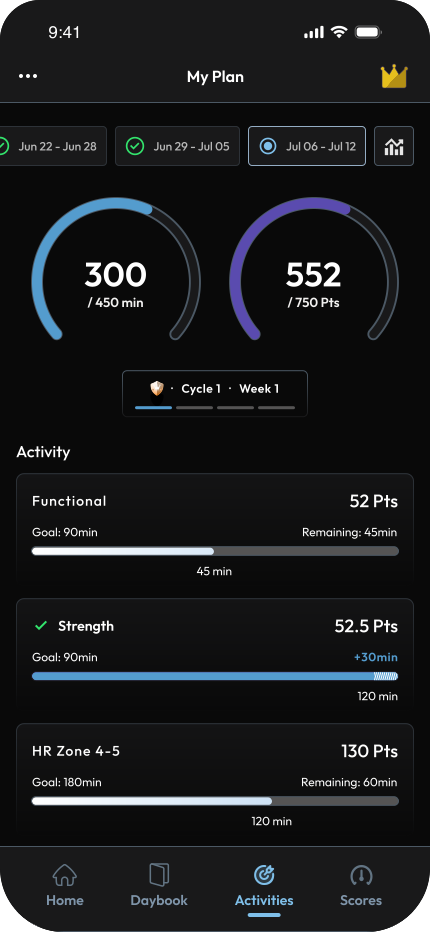
Helping Users Understand Their Progress
Motivate through gamification
Introduced tier-specific and global leaderboards to help users feel part of a broader community, not just a plan.
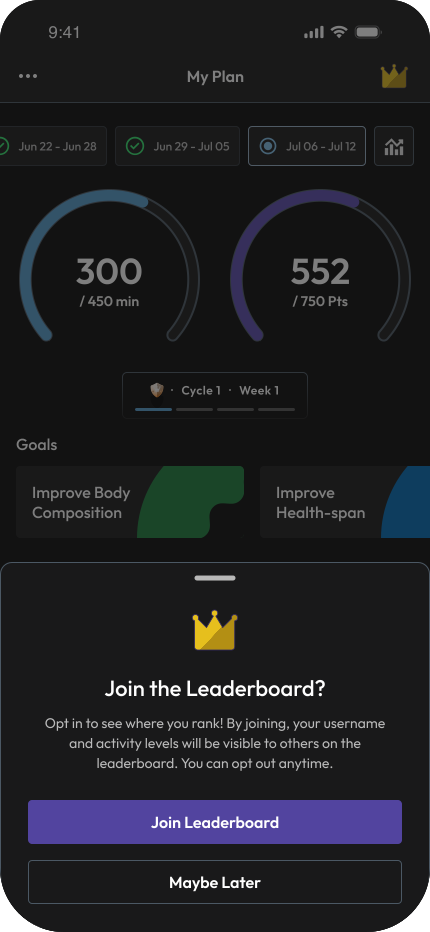
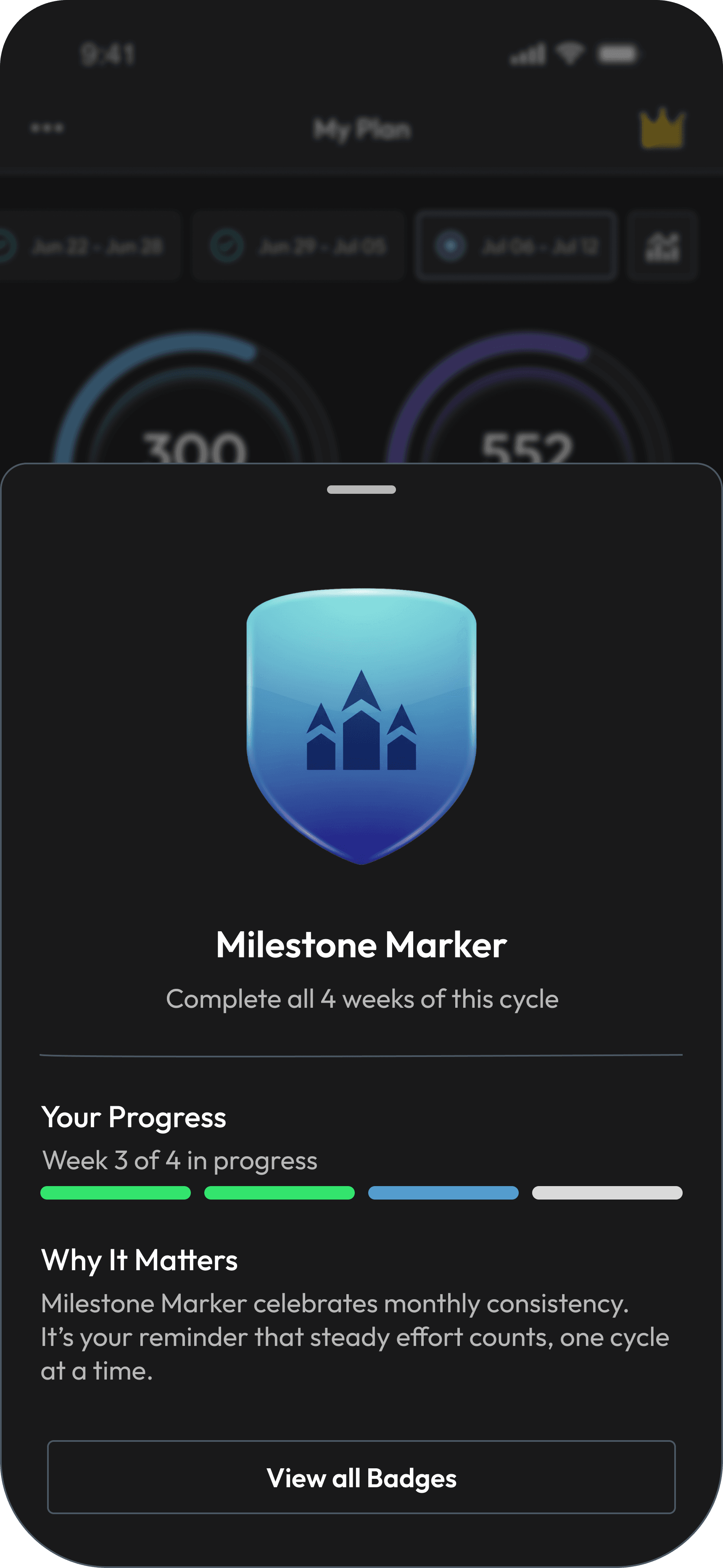
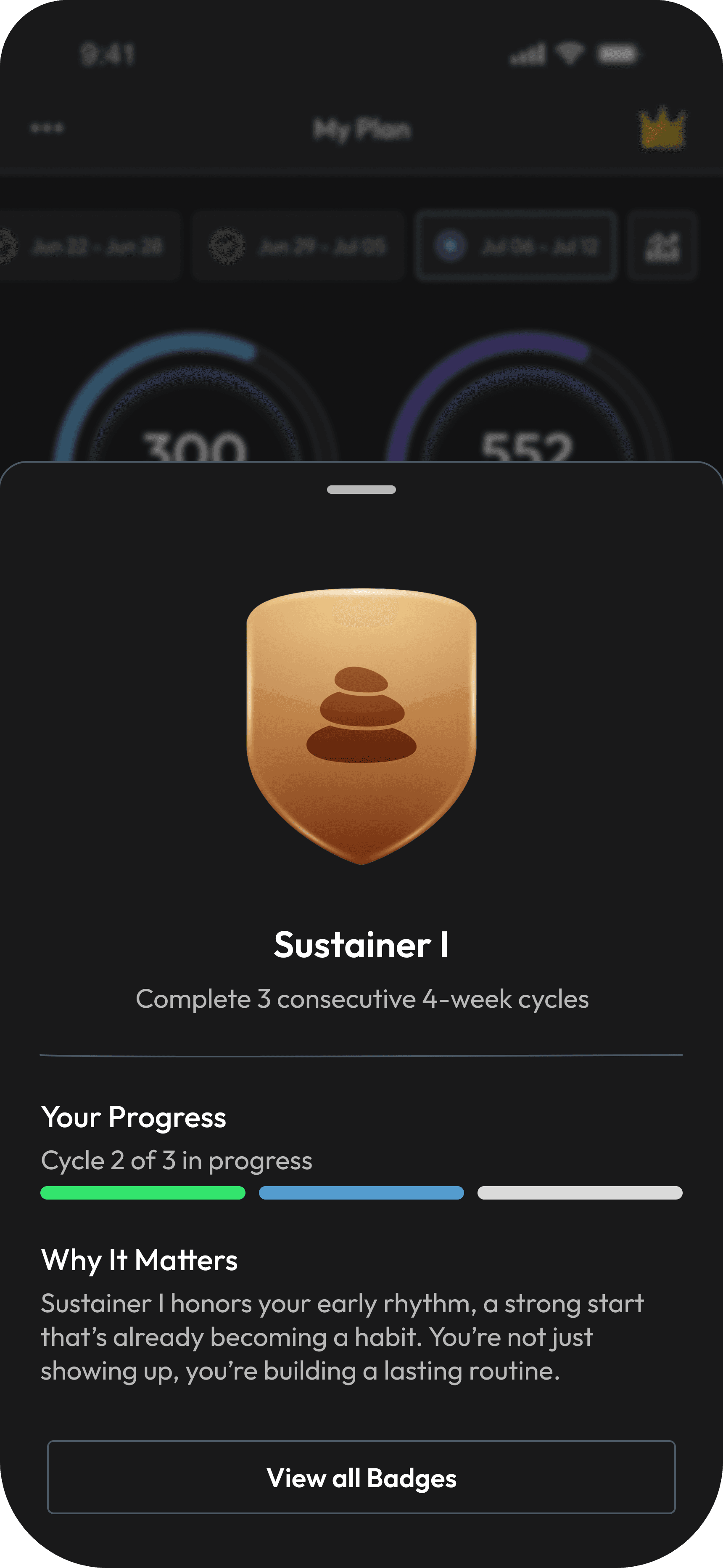
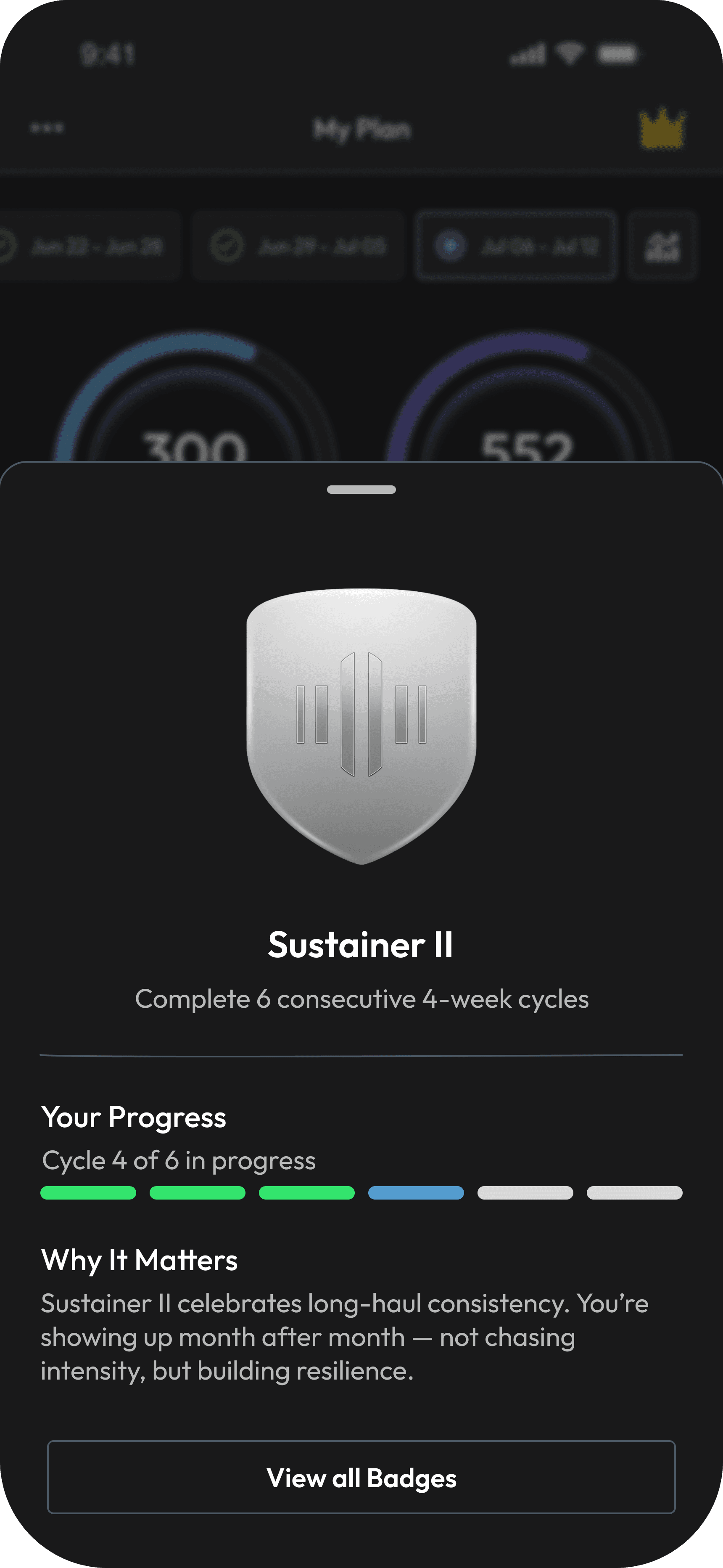
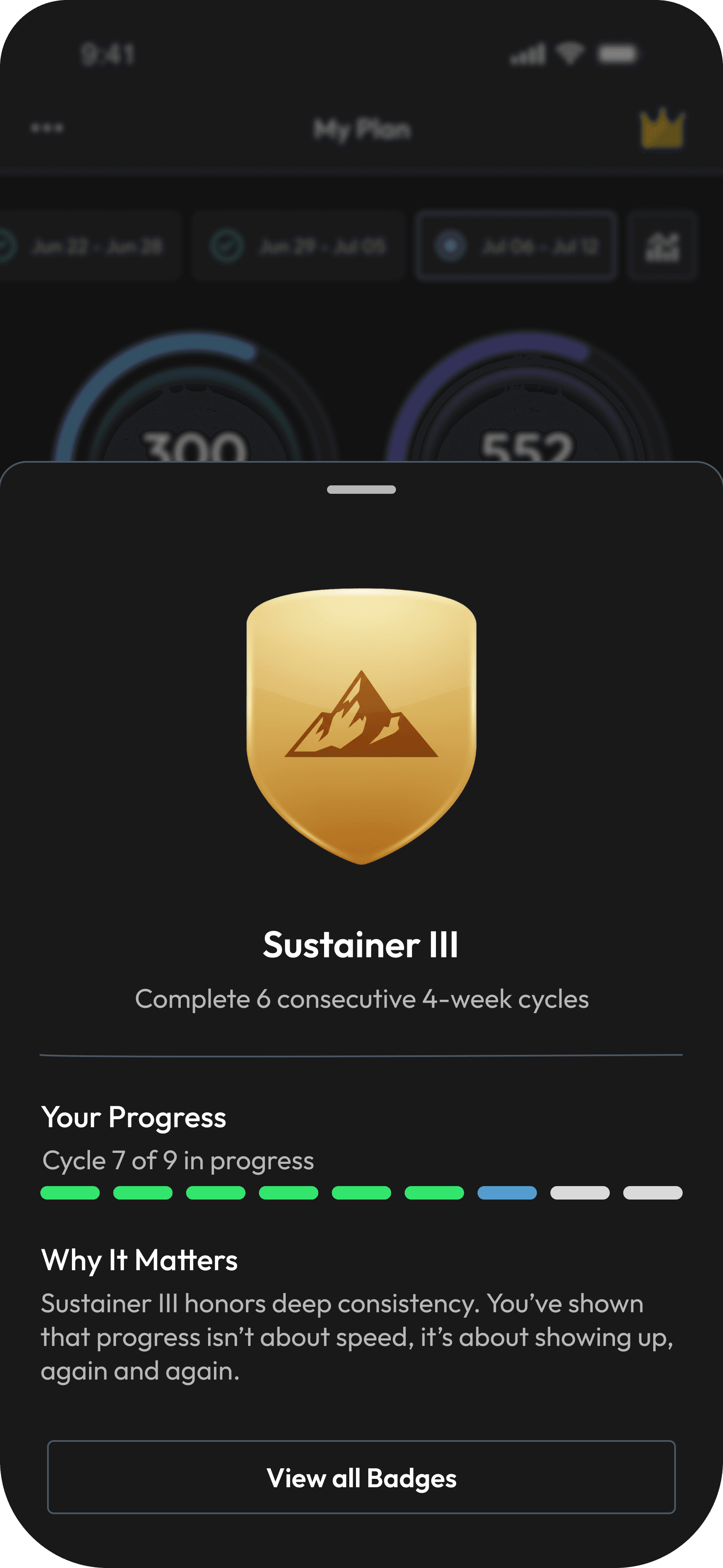
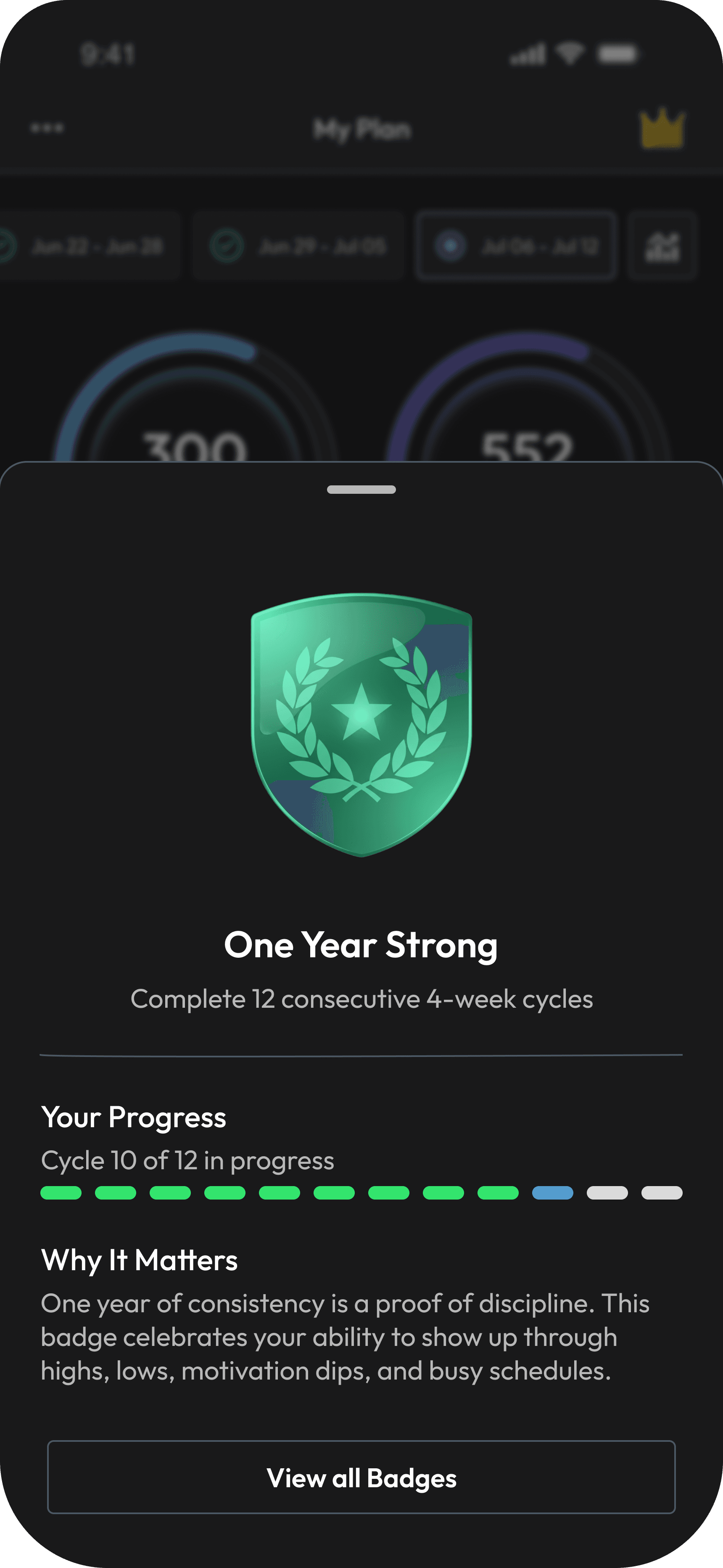
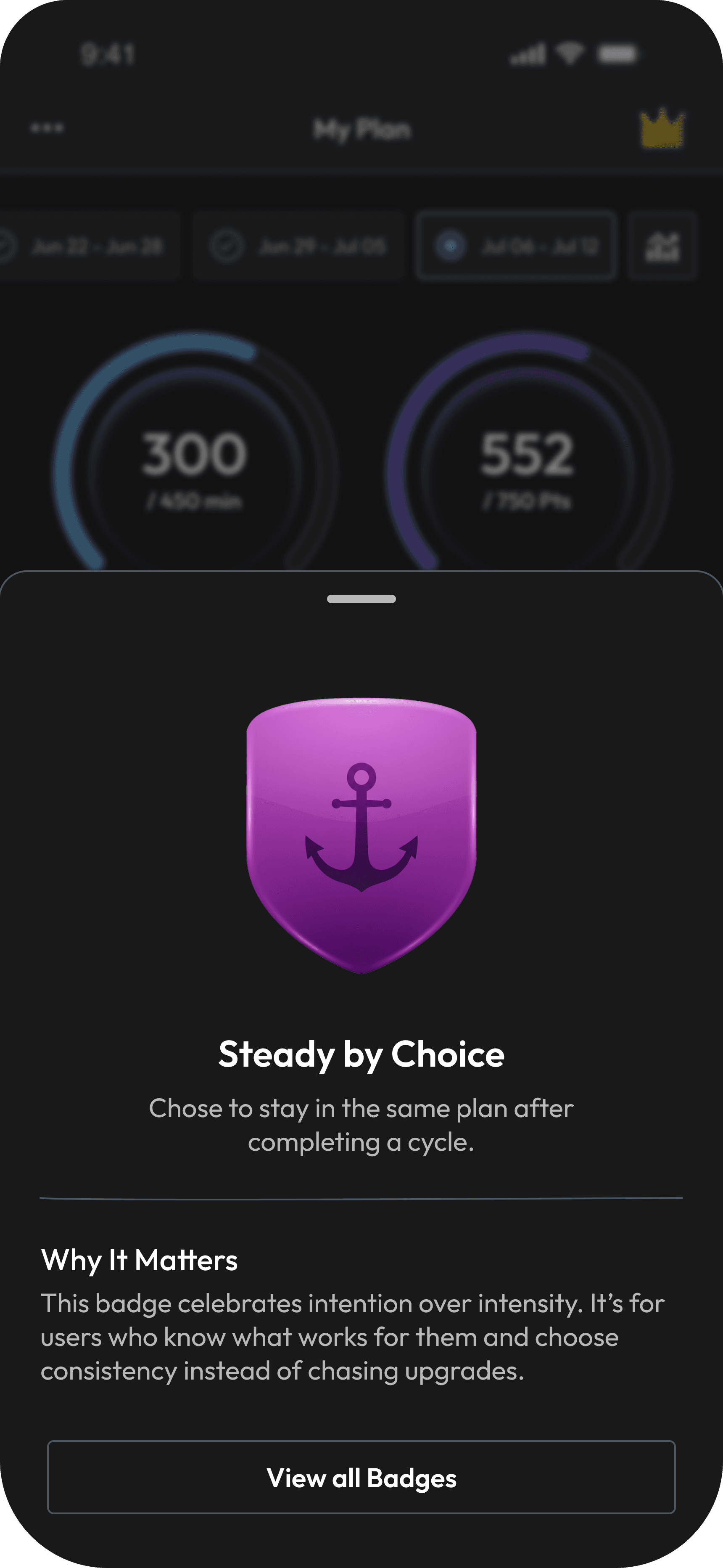
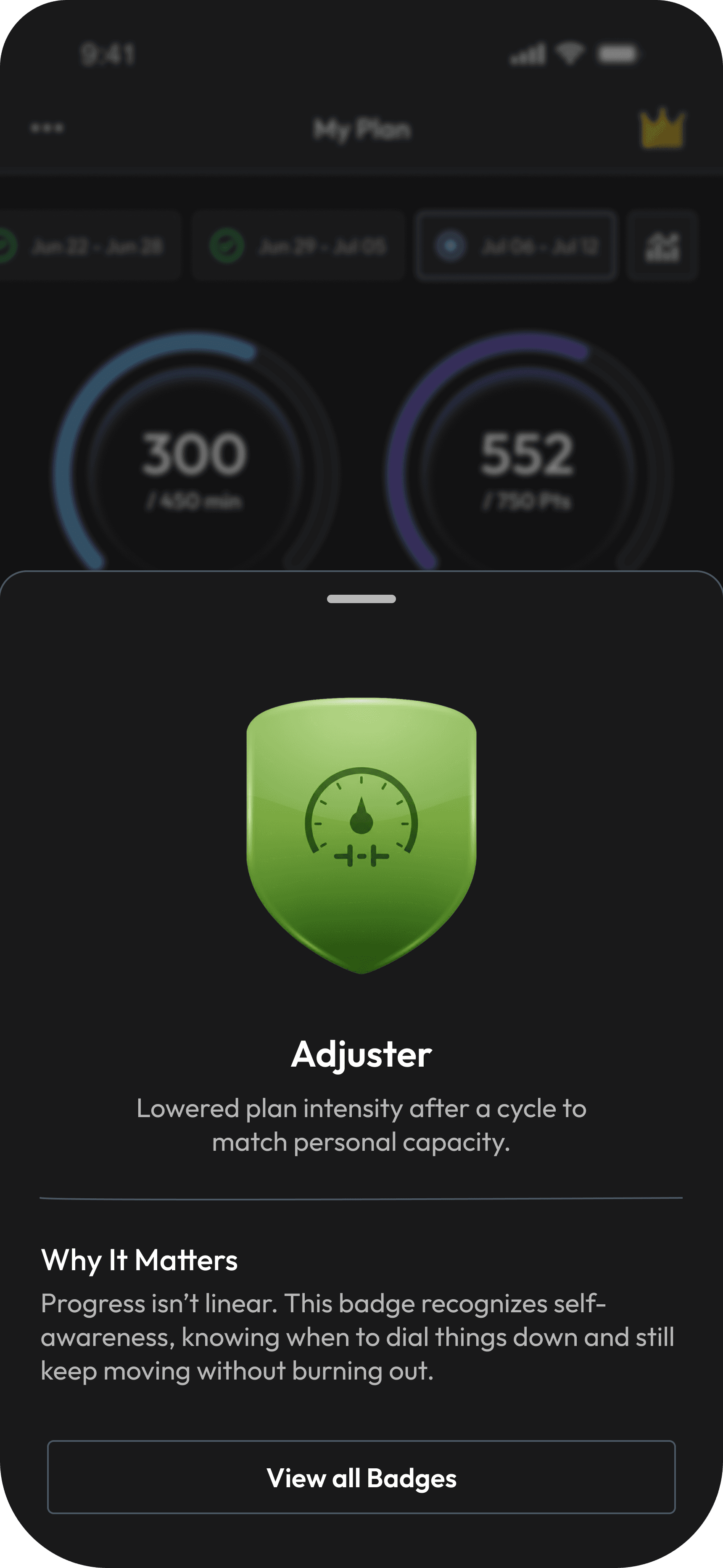
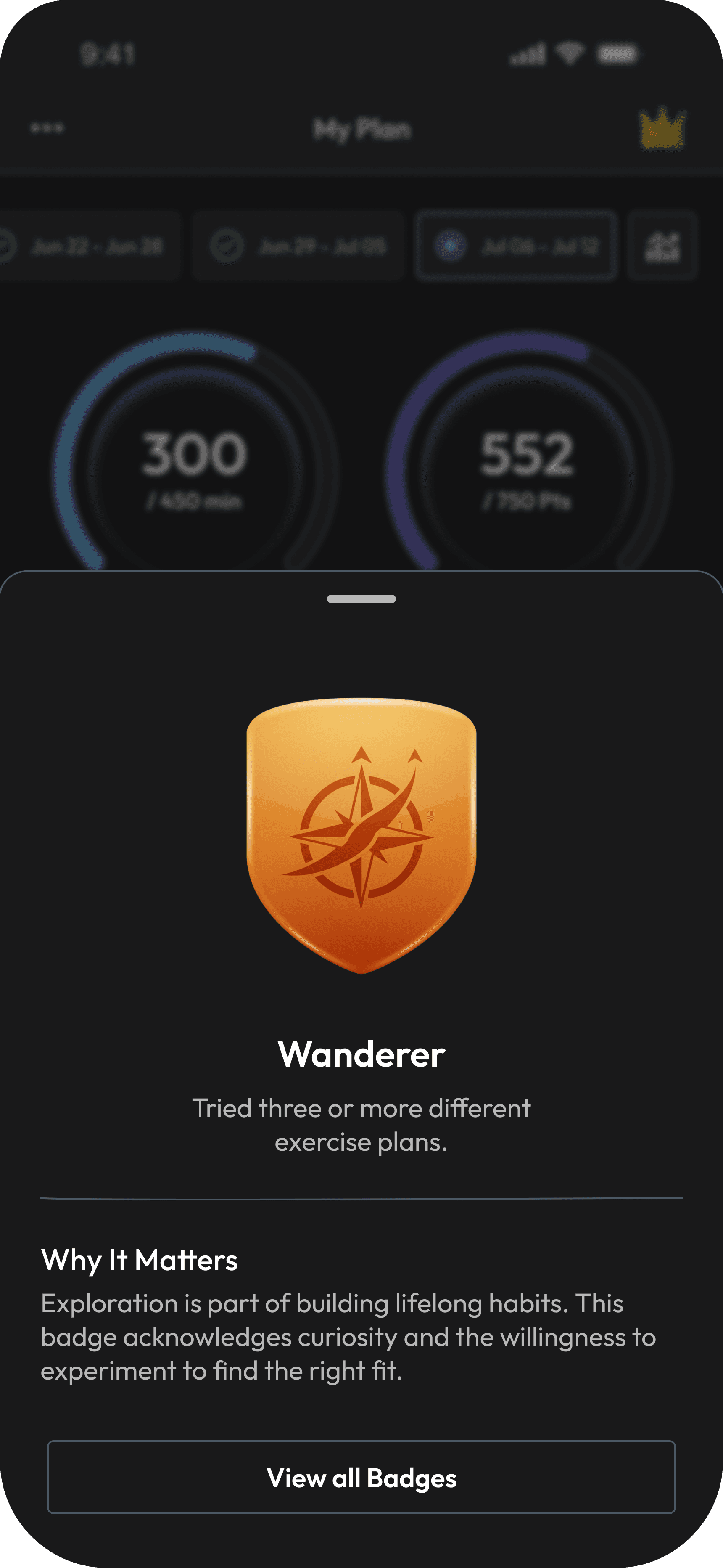
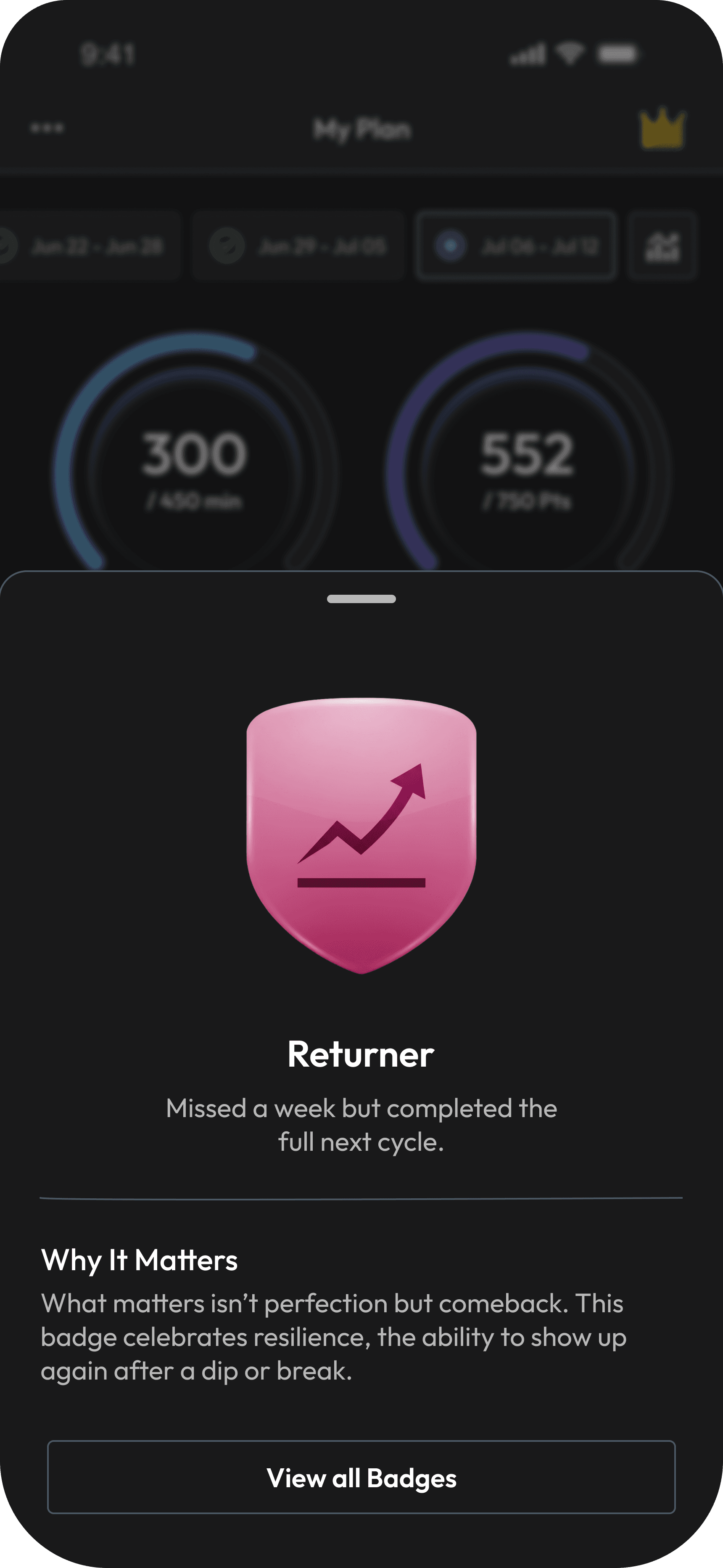
Designed a badge system that recognises progress and long-term commitment, while supporting real-life behavior with self-aware badges.
The Outcome
Method
To understand how the new Activities experience performed, I ran quick internal guerrilla tests with 6 colleagues who actively used the app and conducted light usability walkthroughs with 4 users who previously dropped off.
What We Observed
4 / 4 participants
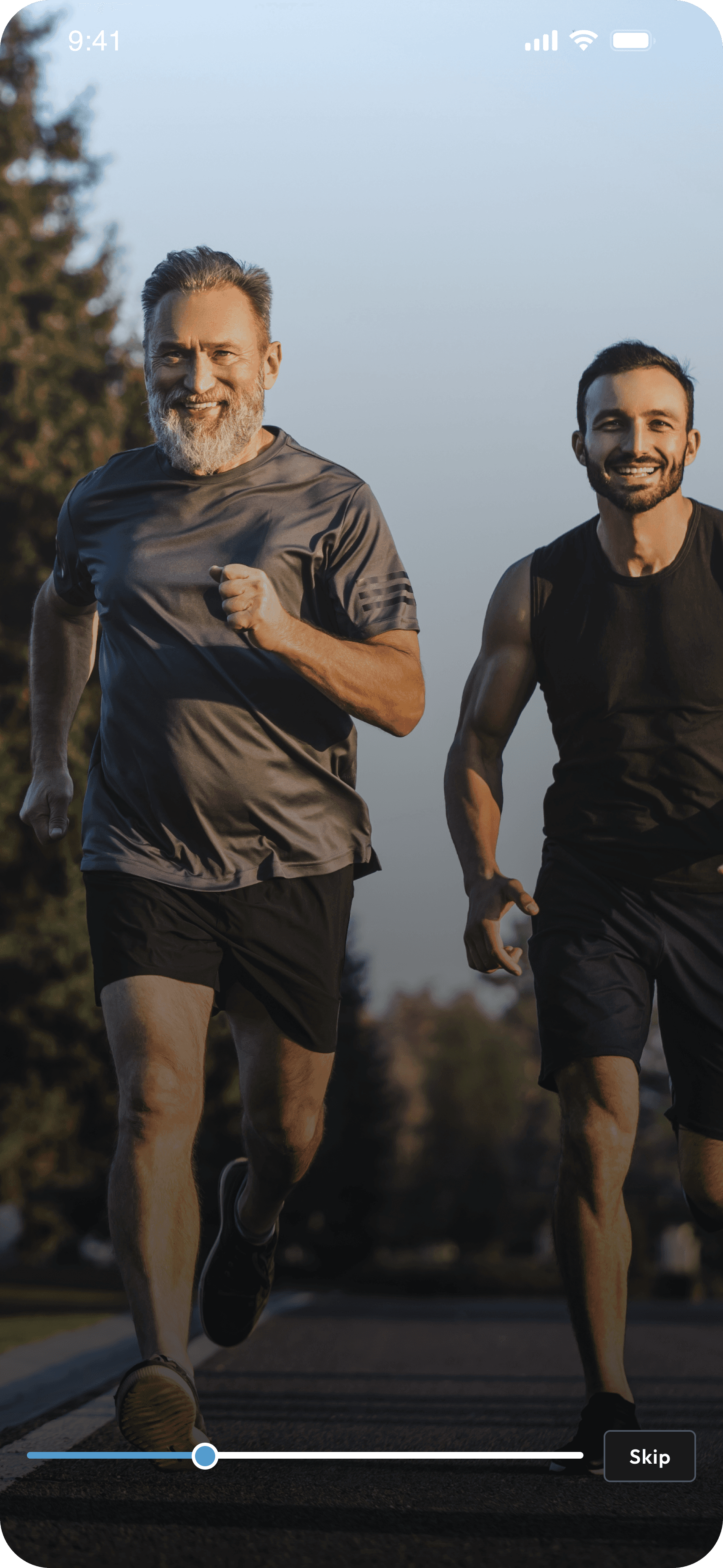
immediately understood what Activities was after the new onboarding video and flow.
8 / 10 participants
easily found the Manage Plan controls (switch, pause, adjust goals).
5 / 6 participants
appreciated seeing how their workouts mapped to strength, functional, and HR zones.
6 / 6 participants
repeatedly called out leaderboards and badges as motivating rather than competitive.
Key Takeaway
Even in small testing rounds, the redesigned Activities module felt clearer, more supportive, and more motivating, helping users stay consistent without feeling overwhelmed.
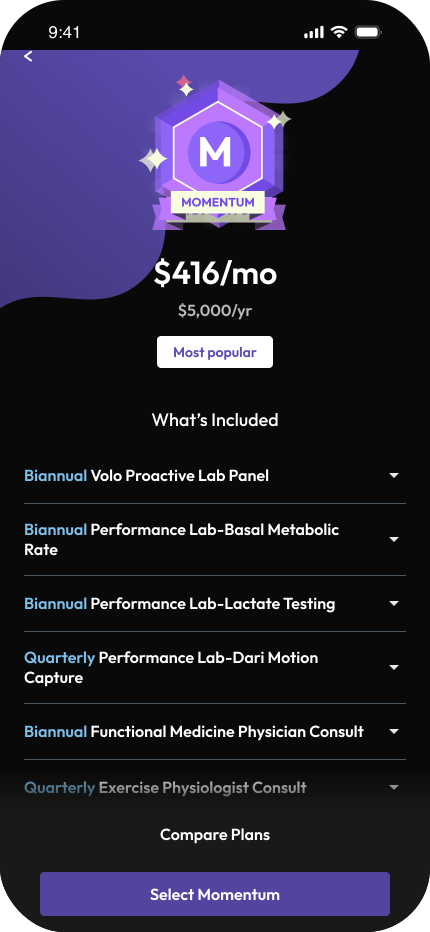
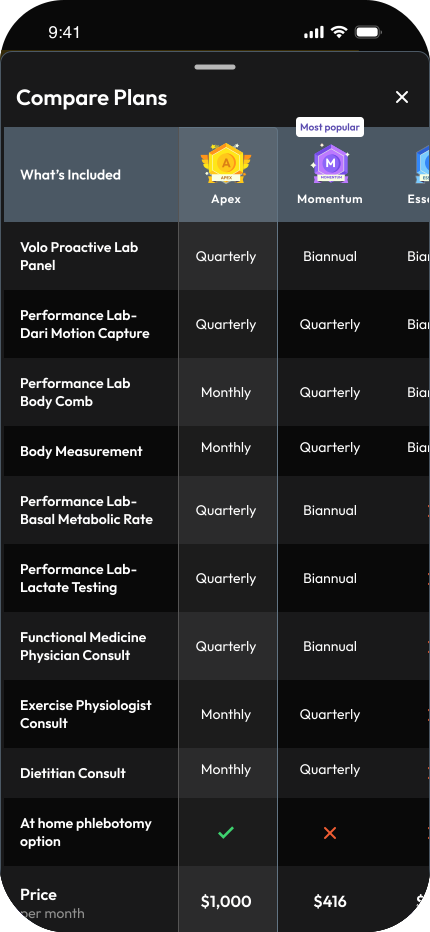
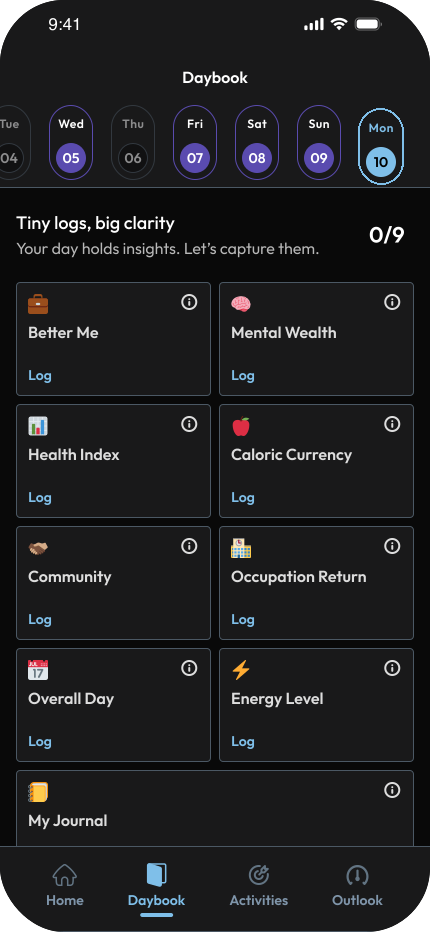
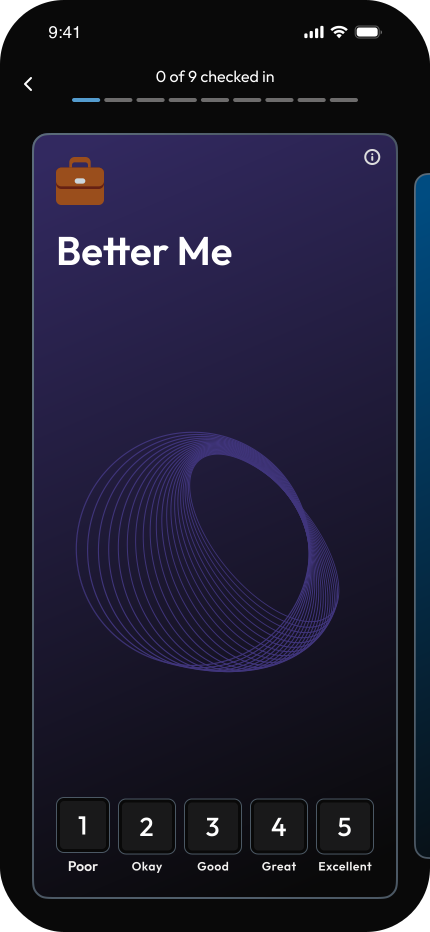
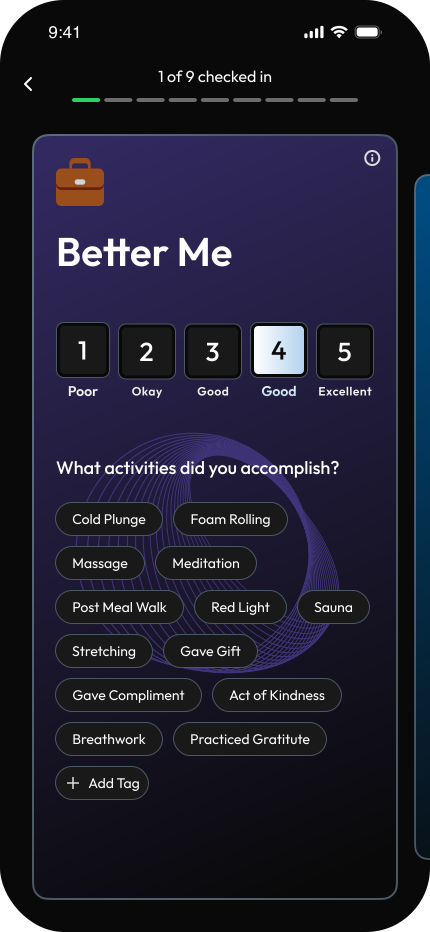
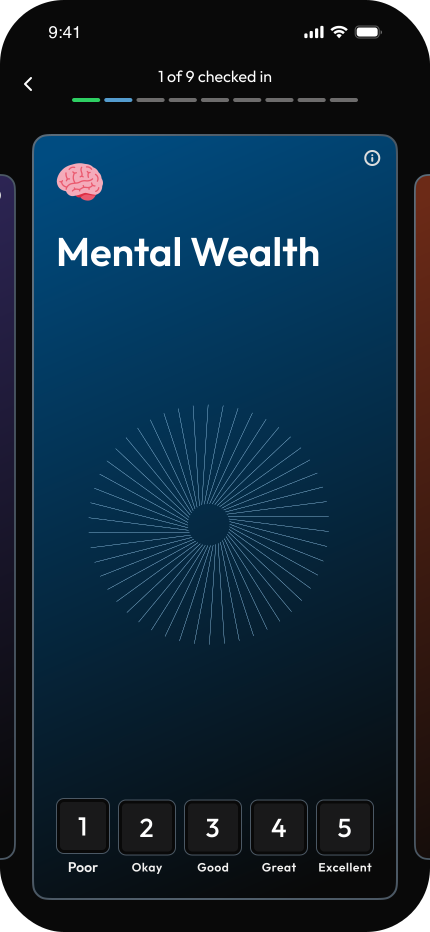
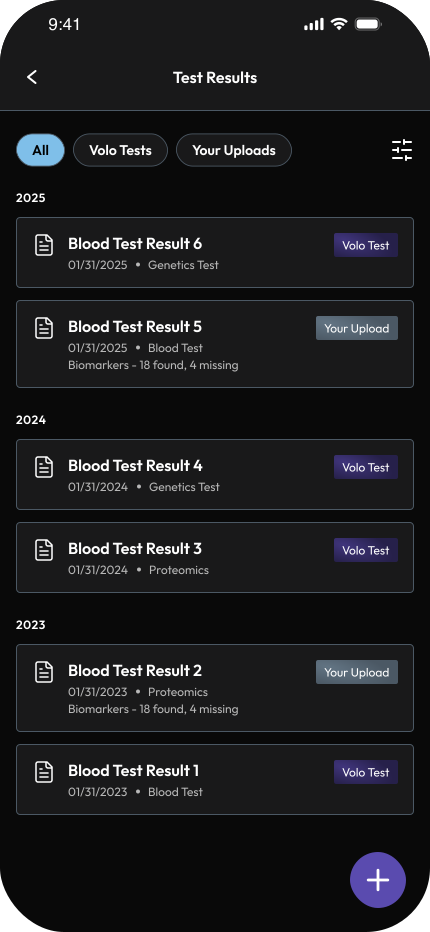
Additional Contributions
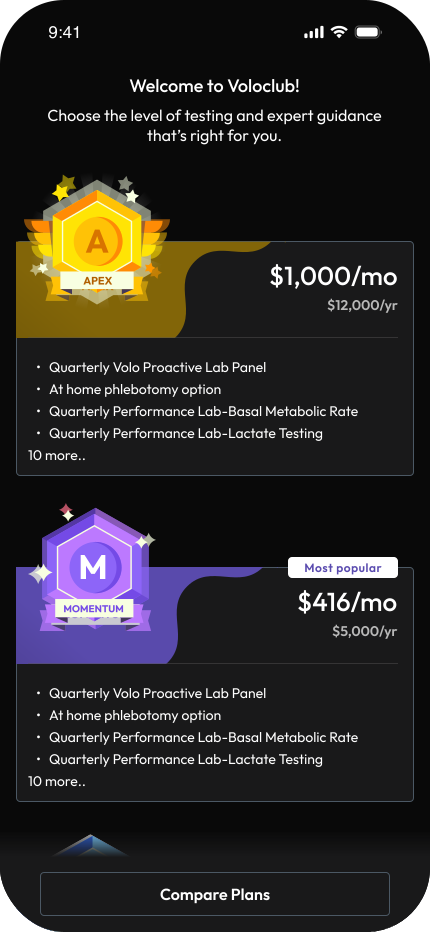
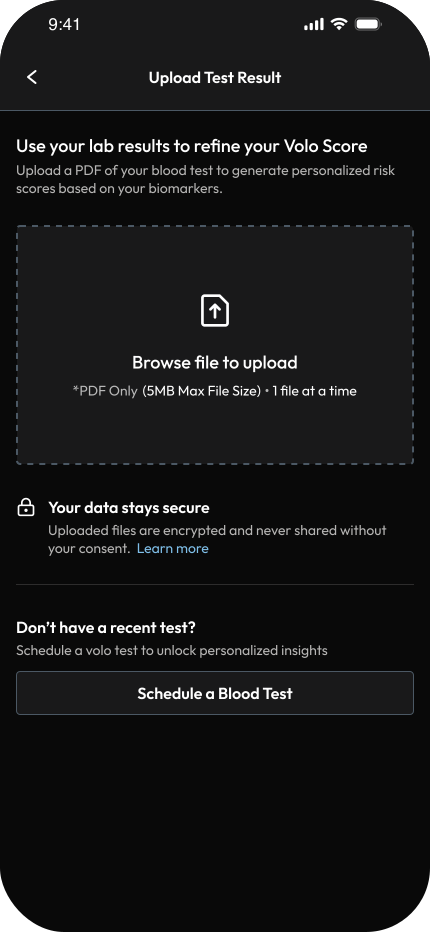
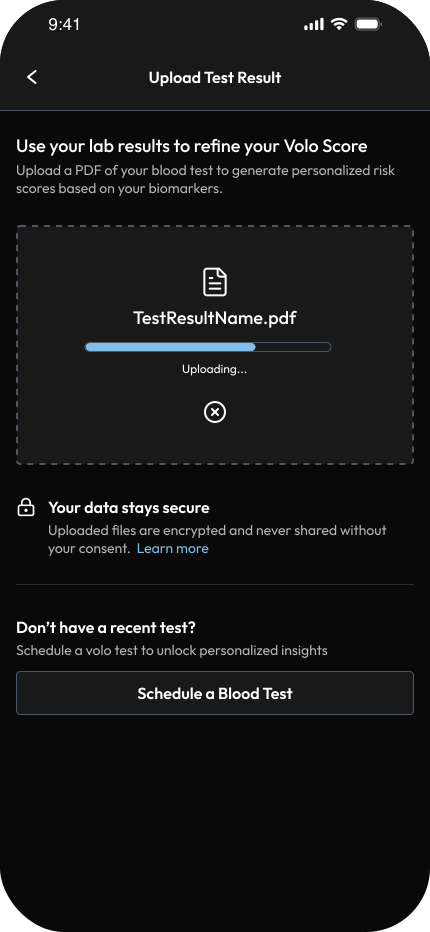
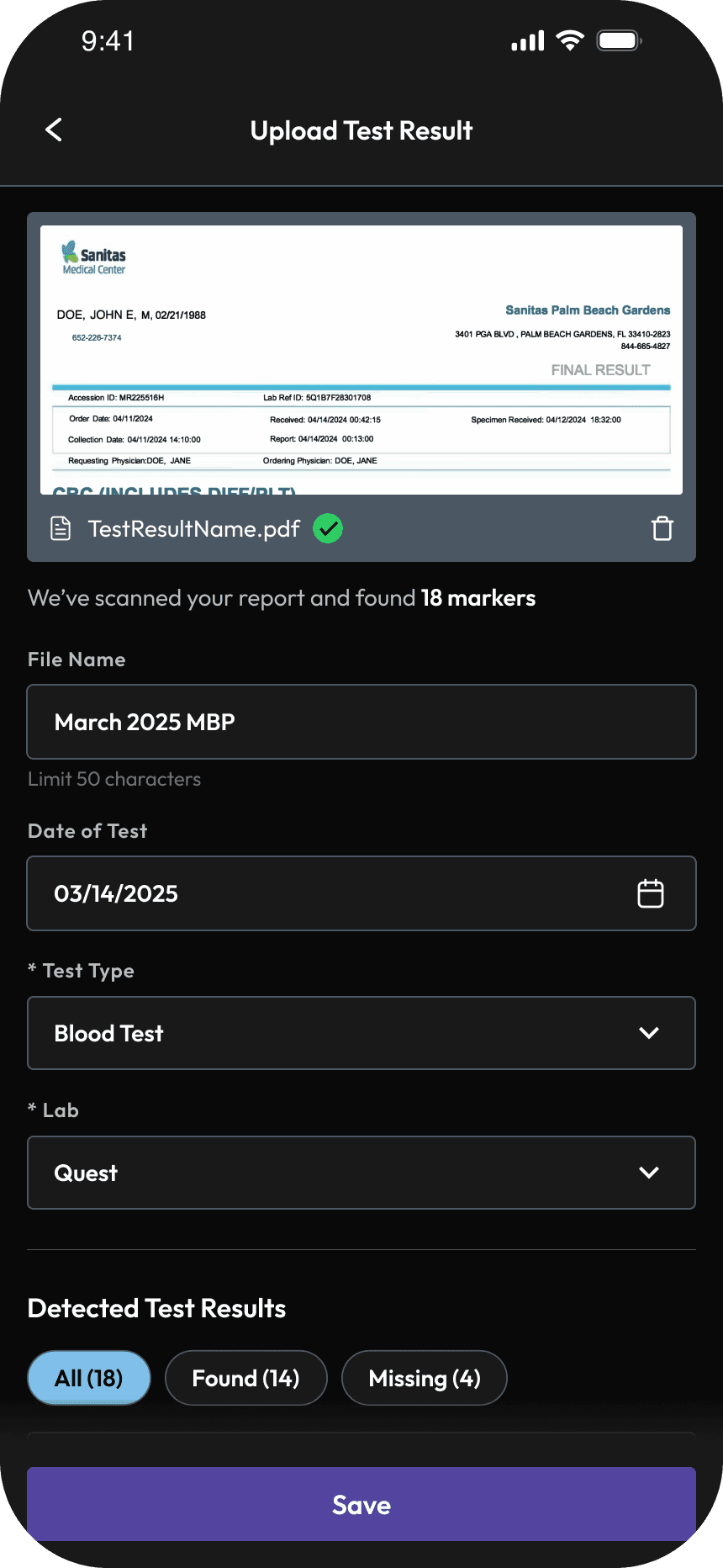
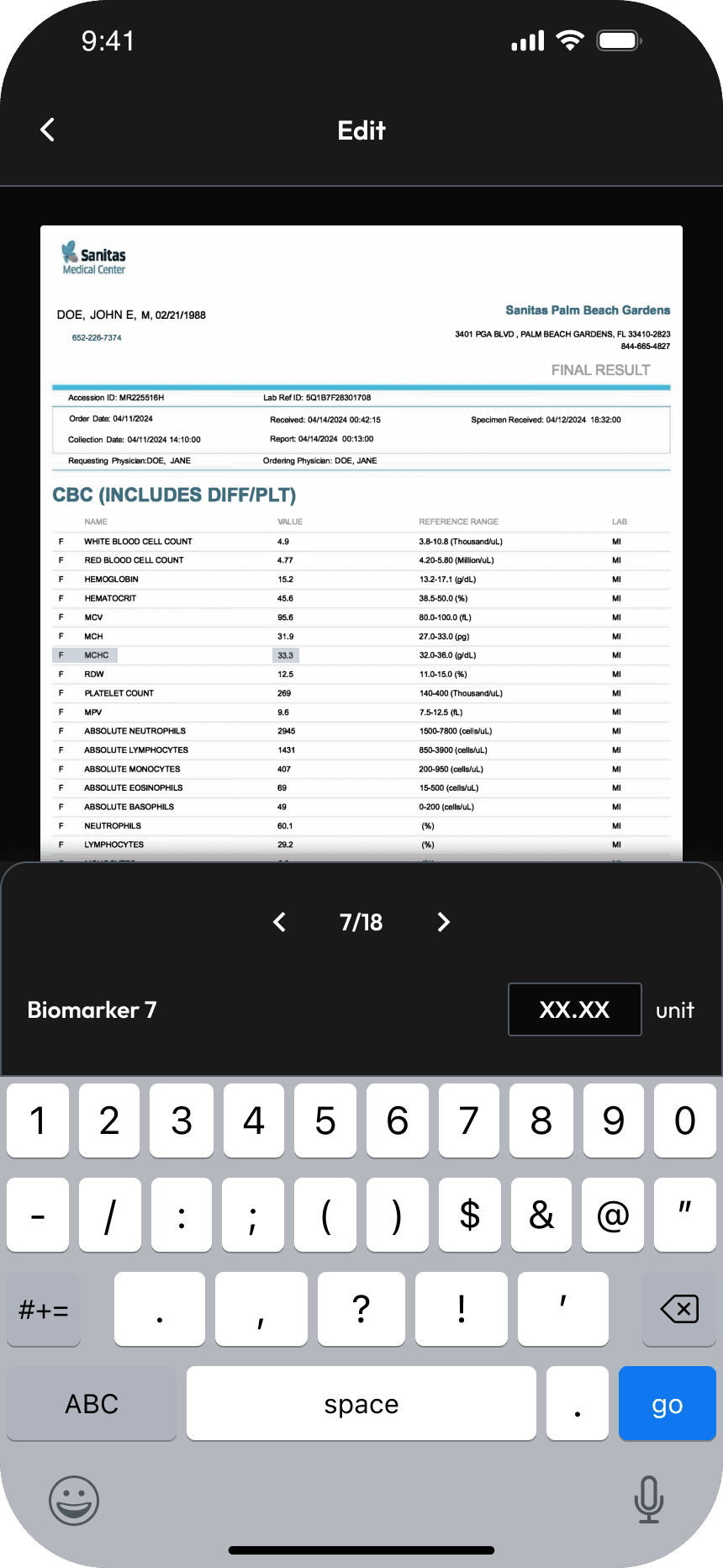
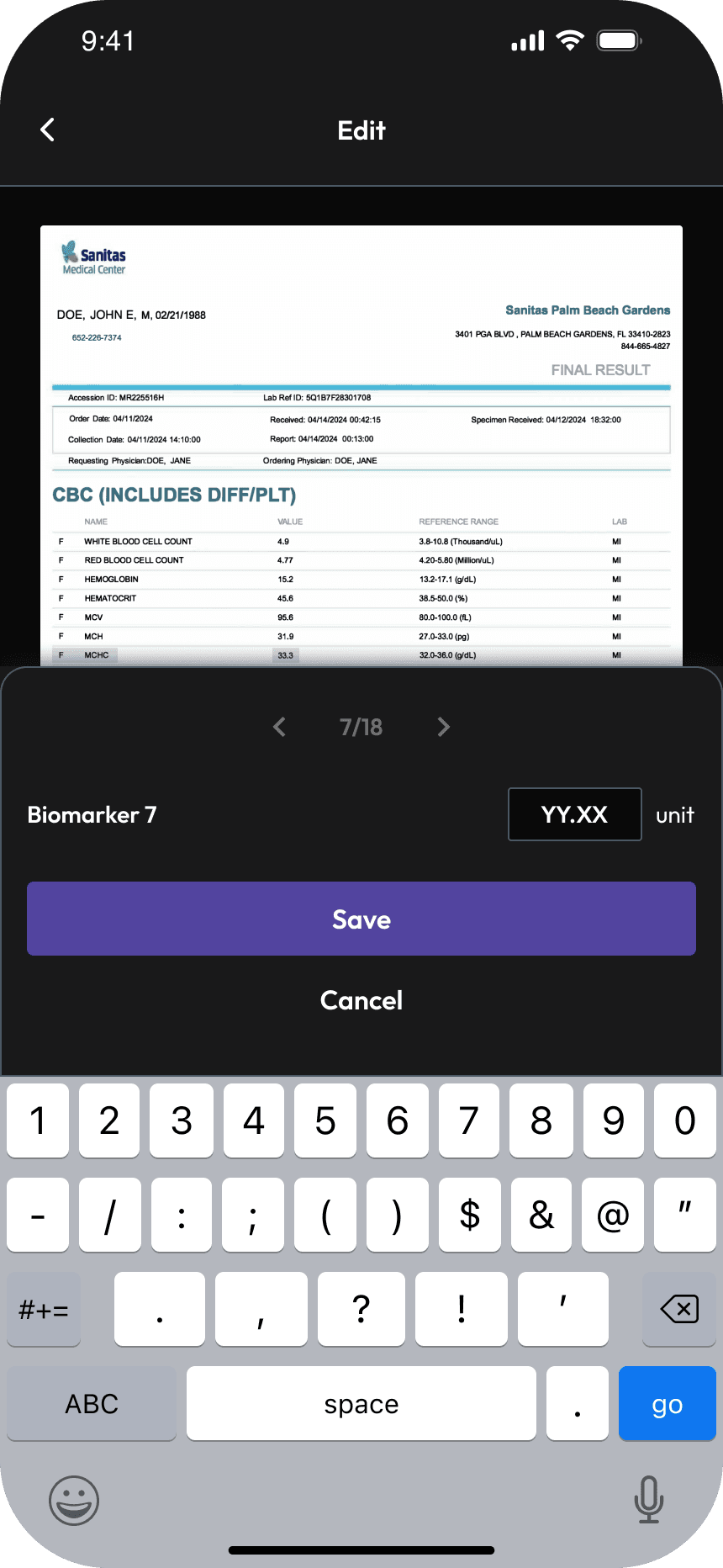
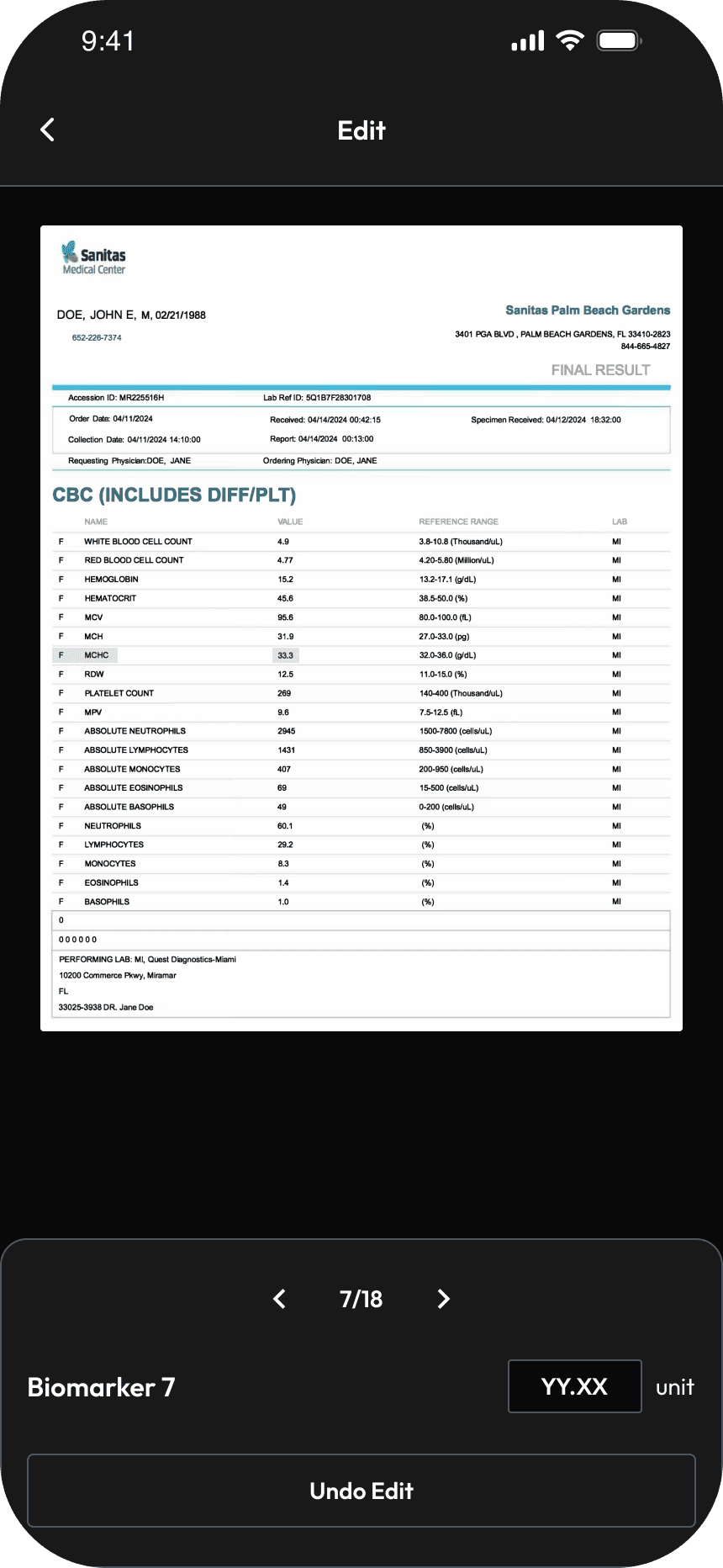
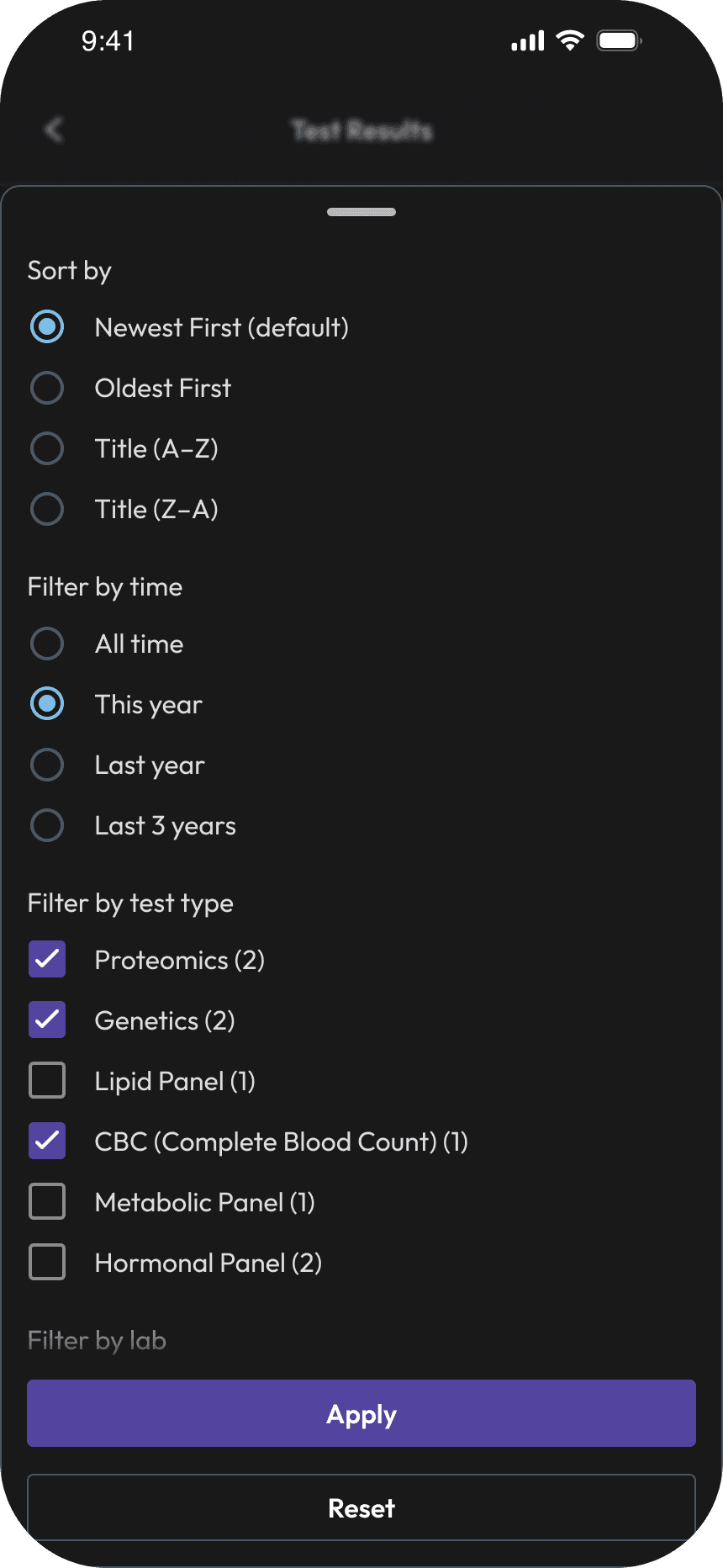
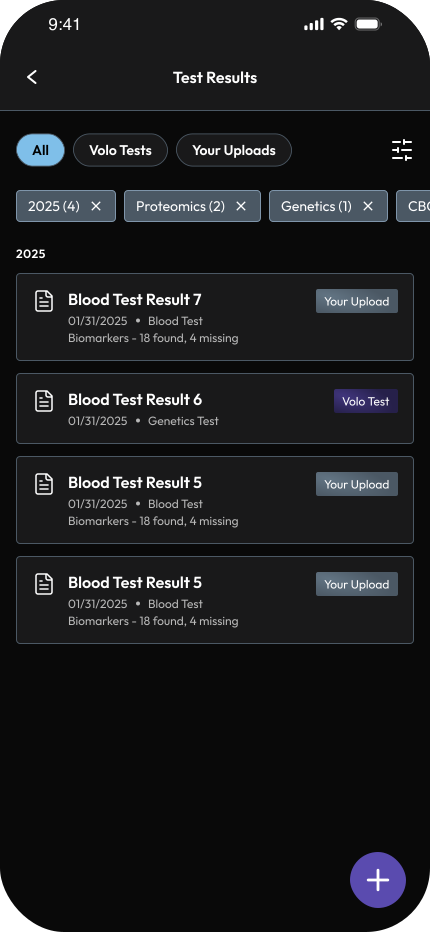
Beyond core flows, I also worked across supporting experiences that helped complete the ecosystem.
What This Project Taught Me About Designing for Health
Designing for healthcare is fundamentally different from designing for convenience or entertainment. Users don’t come to products like Volo casually, they come with intent, concern, and personal context tied to their bodies and long-term outcomes. That reality shaped how carefully we approached clarity, language, and feedback across every experience.
Health data is powerful, but it’s also sensitive. How information is framed can motivate, discourage, or overwhelm. This project reinforced the responsibility designers carry when translating complex data into everyday understanding.
Designing for Behavior, Not Just Screens
One of the biggest learnings was that health behavior isn’t linear. People have rest days, off weeks, and periods where progress stalls. Designing Daily Score and Activities required acknowledging those realities rather than optimizing for perfection.
Instead of pushing constant improvement, the focus shifted to:
Fairness in scoring
Flexibility in goals
Systems that support consistency without pressure
This mindset influenced how we handled rest days, progress pacing, and moments where users might otherwise disengage.
Working Cross-Functionally in a Clinical Context
Collaborating with product managers, engineers, and health scientists highlighted how different perspectives shape healthcare products. Clinical logic, data science, and user experience don’t always align naturally, and bridging those gaps was a key part of the work.
Several moments in this project required slowing down, asking questions, and validating assumptions to ensure that what was scientifically sound also felt humane and understandable in practice. That collaboration sharpened my ability to navigate ambiguity and make informed design trade-offs in regulated, data-heavy domains.
What I’ll Carry Forward
This experience reshaped how I think about designing systems that operate over time. It taught me to zoom out from individual screens and consider how daily actions connect to weekly effort, long-term habits, and trust.
More importantly, it reinforced that in healthcare, good design isn’t about making people do more, it’s about helping them understand, reflect, and stay engaged in a way that fits their lives.